


Clearer Driving Data
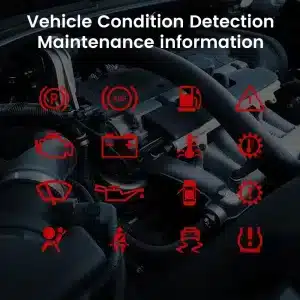
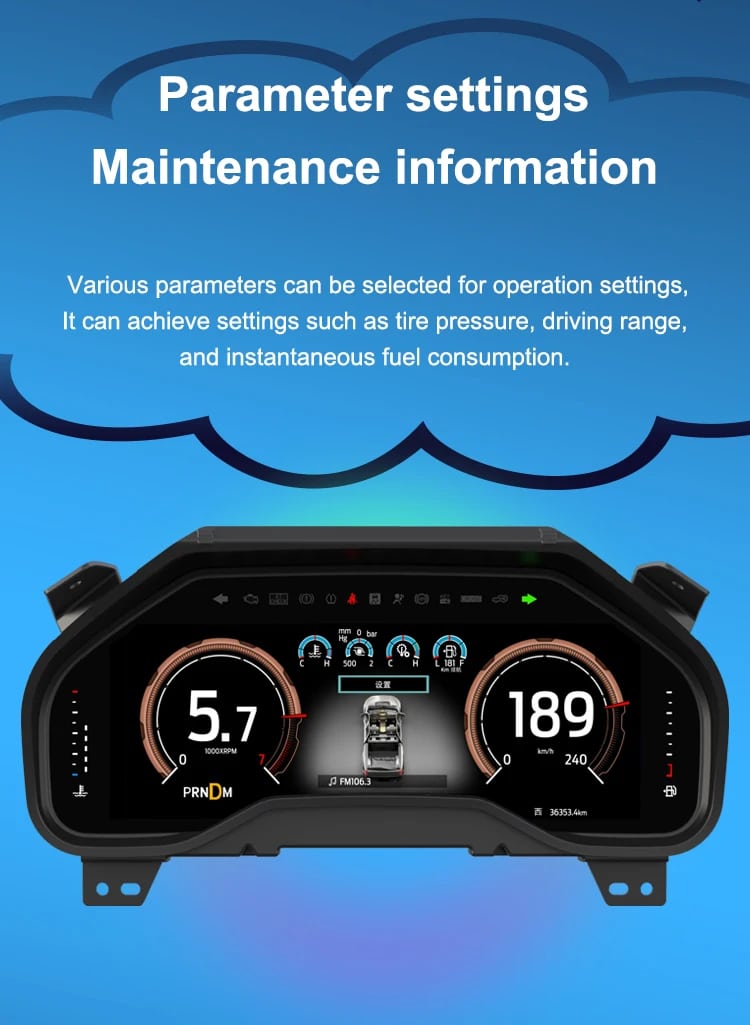
Speed, RPM, gear position, fuel range, oil information, water temperature, TPMS and supported warnings are easier to read than on the original analog layout.

No products in the cart.
| Vægt | 4.5 kg |
|---|---|
| Størrelse | 45 × 35 × 25 cm |
| Støttebil | 2009-2012, 2013-2014 |
| Produktkompatibilitet | Plug and play |
| Produktets oprindelse | Ægte originalt produkt |



From: $1,380.00

Vi håndterer al moms og told. Anslået besparelse: $120-$280.
Du er velkommen til at Tag kontakt til os
Kompatibilitetsvurdering, sikker betaling, sporing af leveringen og praktisk kundeservice.
2009–2014 F-150 · 2010–2014 SVT Raptor
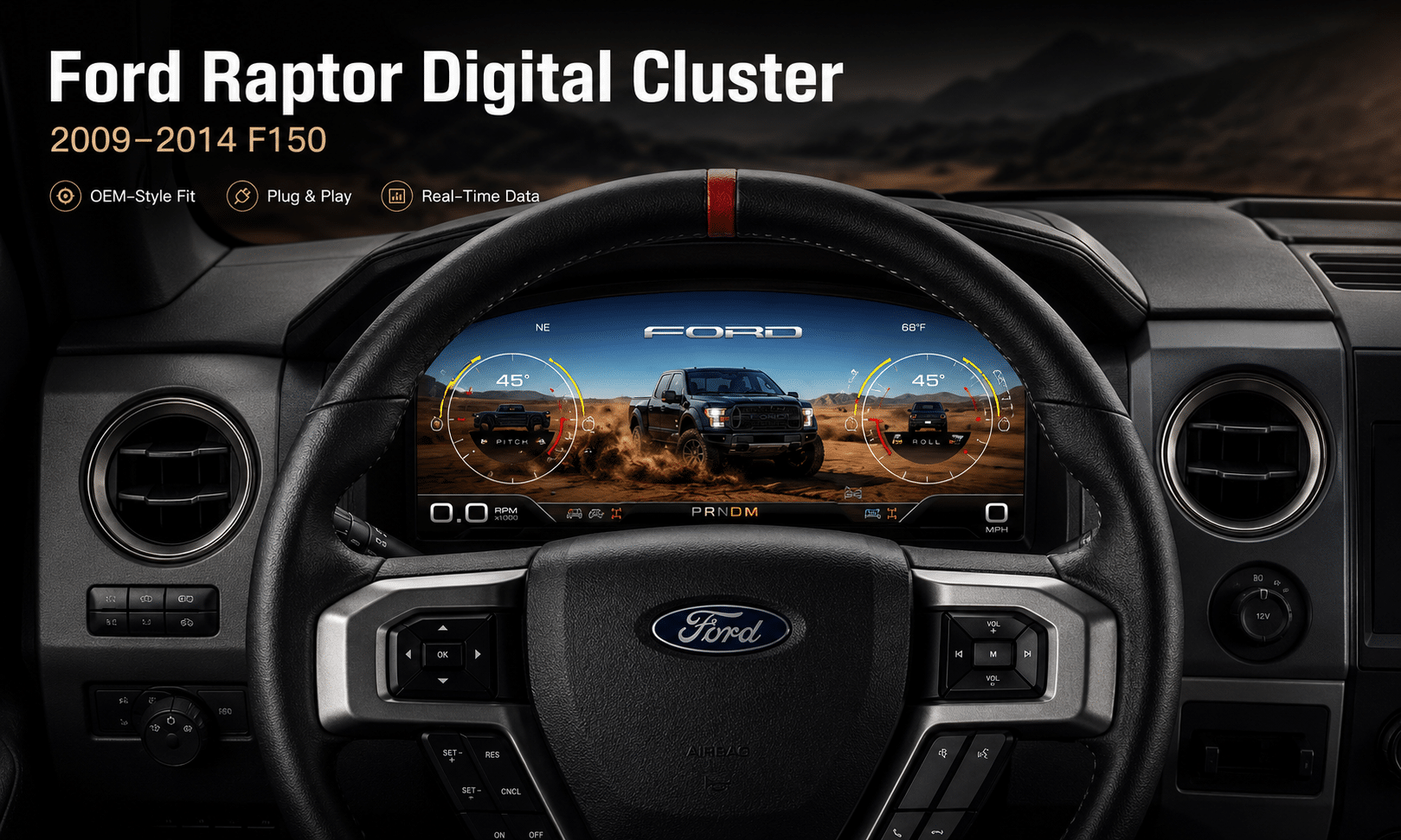
Denne 2009–2014 Ford F150 digitalt instrumentpanel upgrades the original analog gauge area into a 13.1-inch Linux virtual cockpit. It supports original vehicle data, multiple Raptor-style UI themes, steering-wheel control operation, CarPlay / Android Auto map information display and map mirroring from a compatible Android head unit.
iKAGOO prepares the correct 2009–2012 or 2013–2014 cluster version, connection solution and installation guidance from your vehicle information.
F-150 and SVT Raptor owners who want a full digital driver display, original vehicle information, off-road UI themes and phone navigation information shown in the instrument area while keeping the original dashboard style.
The large digital display fits inside the original cluster position, giving the truck a modern cockpit view without making the dashboard look like a cheap universal screen installation.
Daily-Use Improvement
The strongest value is not only the screen size. The upgrade changes how you read speed, RPM, tire pressure, oil information, fuel data, navigation direction and off-road status during normal driving.
Speed, RPM, gear position, fuel range, oil information, water temperature, TPMS and supported warnings are easier to read than on the original analog layout.
When paired with the compatible source system, the cluster can show phone navigation and Android head unit map information in the driver’s display area, reducing the need to look away from the road.
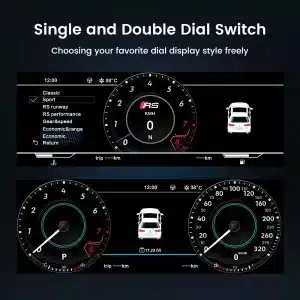
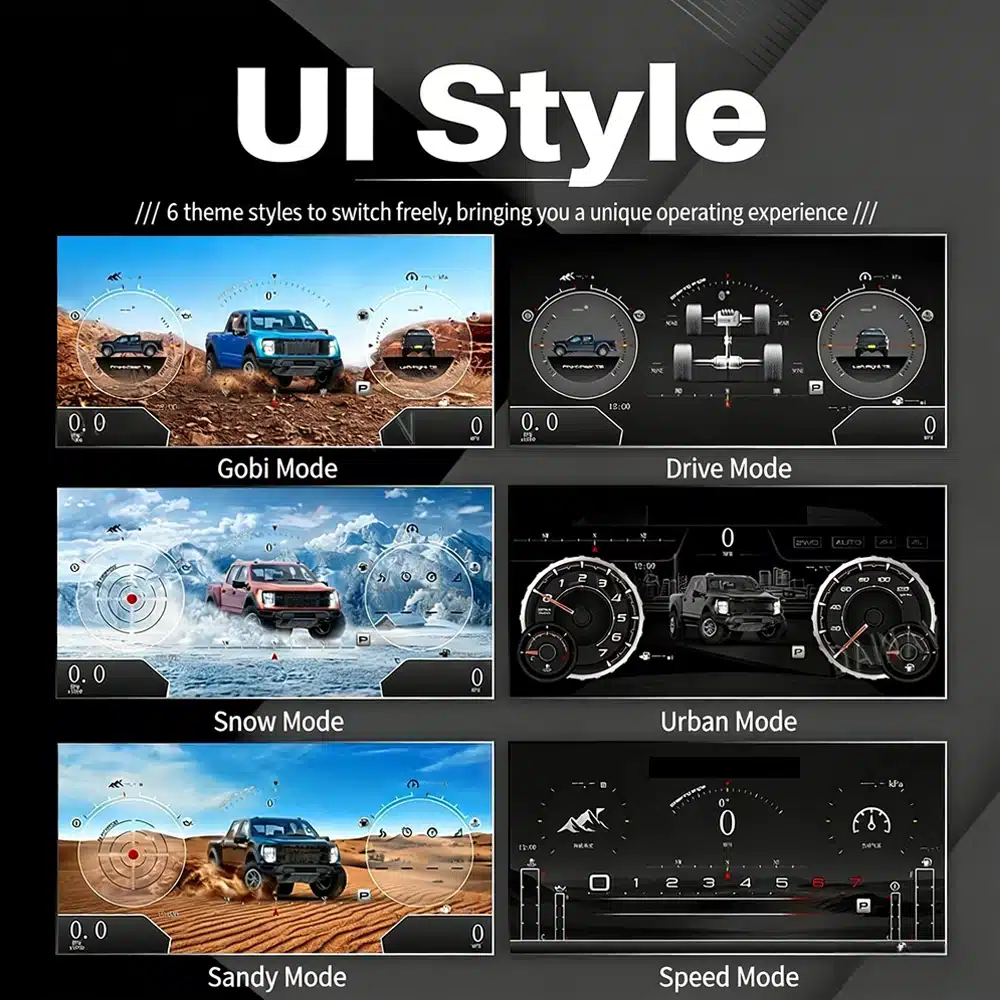
The interface includes multiple visual themes for city driving, speed-focused driving, snow, sand, desert and drivetrain-focused views, making the upgrade feel closer to a modern Raptor cockpit.
Fabriksindstillinger bevares
With the correct year version, retained original instrument electronics and proper installation, the cluster continues to present the important driving information your F-150 supplies.
Prepared for Your Truck
We separate the 2009–2012 and 2013–2014 dashboard versions instead of treating every 12th-generation F-150 as identical.
We help you confirm whether your CarPlay, Android Auto or Android head unit map source can feed navigation information to the digital cluster.
The installation path retains the required original instrument electronics so vehicle-specific data is not treated like a generic replacement cluster.
We help you check speed, RPM, gear, warnings, TPMS, map display, steering controls, units and sleep behavior before final reassembly.
The matched installation is designed to connect without intentionally cutting the supported factory main wiring.
You receive installation and configuration assistance plus a 12-month limited hardware warranty for eligible manufacturing defects.
Vehicle-Specific Hardware
The molded housing follows the original instrument opening so the finished result looks like a deliberate cockpit upgrade rather than a tablet added on top of the dashboard.

Correct Year Selection
The 2009–2012 and 2013–2014 factory layouts are not identical. Choose the matching year option and send your original cluster photo. The cluster can retain original vehicle data and display supported phone-navigation information when the connected source is compatible.

High-Definition UI Styles
This clear UI image replaces the low-resolution dial-switch image. The available styles include Gobi Mode, Drive Mode, Snow Mode, Urban Mode, Sandy Mode and Speed Mode, giving your F-150 or Raptor a more modern factory-style digital cockpit.
Selectable Cockpit Themes
The display can prioritize different information depending on how you use the truck: city driving, highway speed, desert driving, snow, sand, drivetrain status or daily vehicle information.

CarPlay and Android Auto Map Information
When your connected CarPlay, Android Auto or Android head unit system supports output to the cluster, the instrument screen can present map and navigation information closer to your normal driving view.
Multilingual Interface
The Linux interface supports multiple languages, including English, Spanish, French, German, Russian, Portuguese, Turkish, Korean, Chinese and Arabic. Ask iKAGOO about your preferred language when placing the order.

Warnings and Maintenance
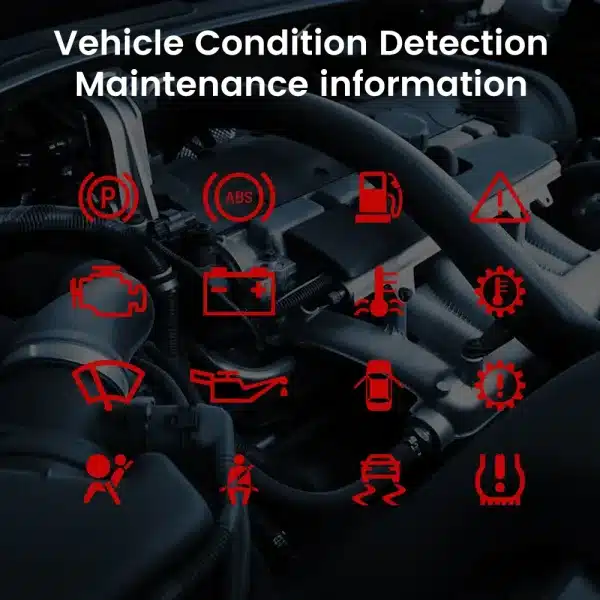
Supported warning indicators, maintenance information and vehicle-status messages remain part of the driving experience, helping you notice issues without returning to the limited original display.
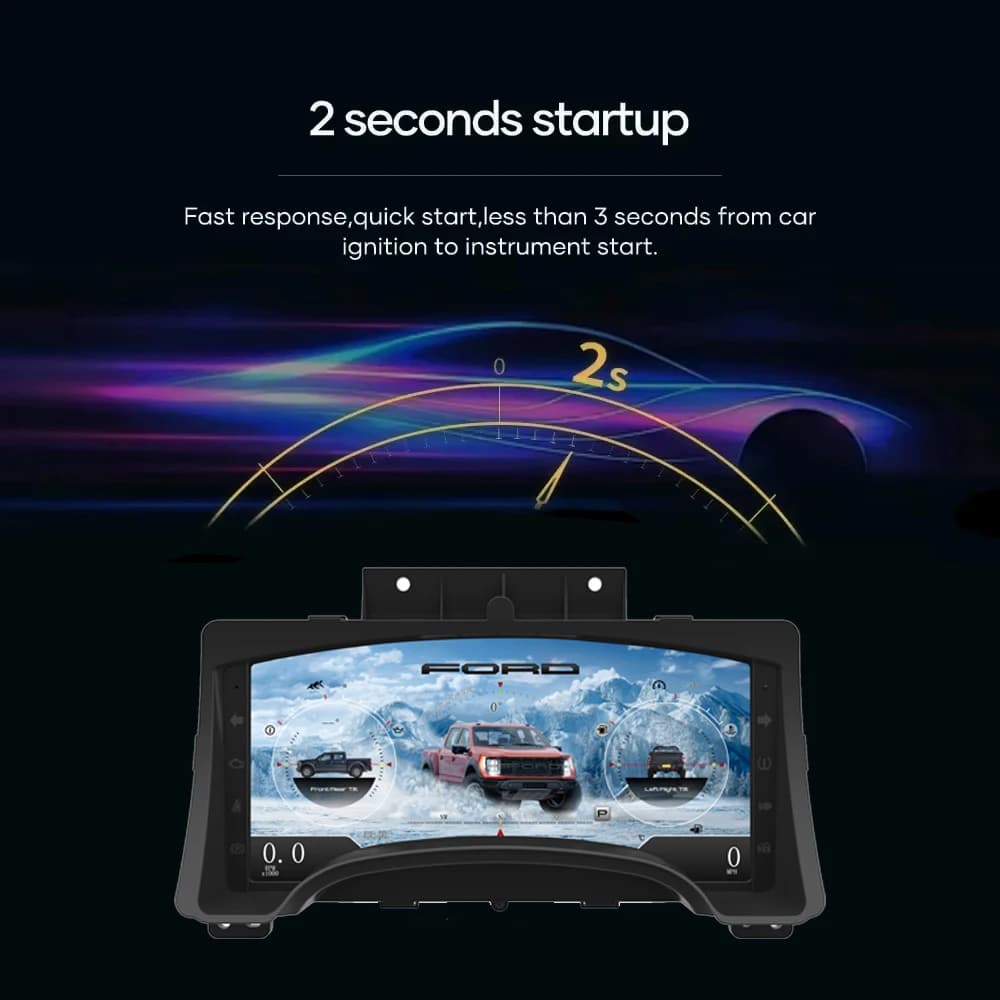
Fast Linux Startup
A dedicated Linux platform keeps startup focused on driving information. The specified startup time is under two seconds after ignition.
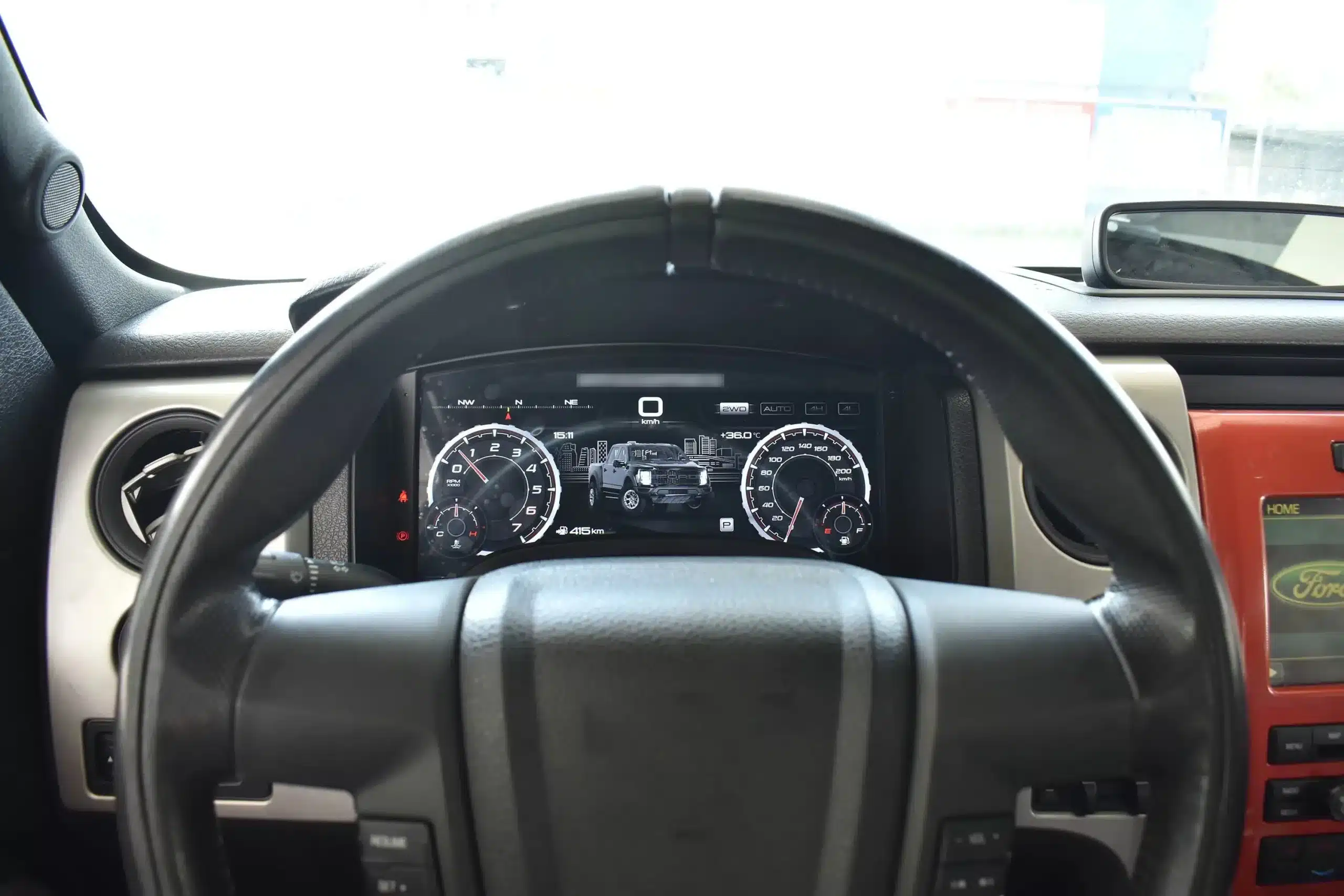
Installed Driving View
The wide screen sits behind the original steering wheel and within the existing dashboard architecture, creating a larger visual upgrade while leaving the center stack and surrounding interior intact.
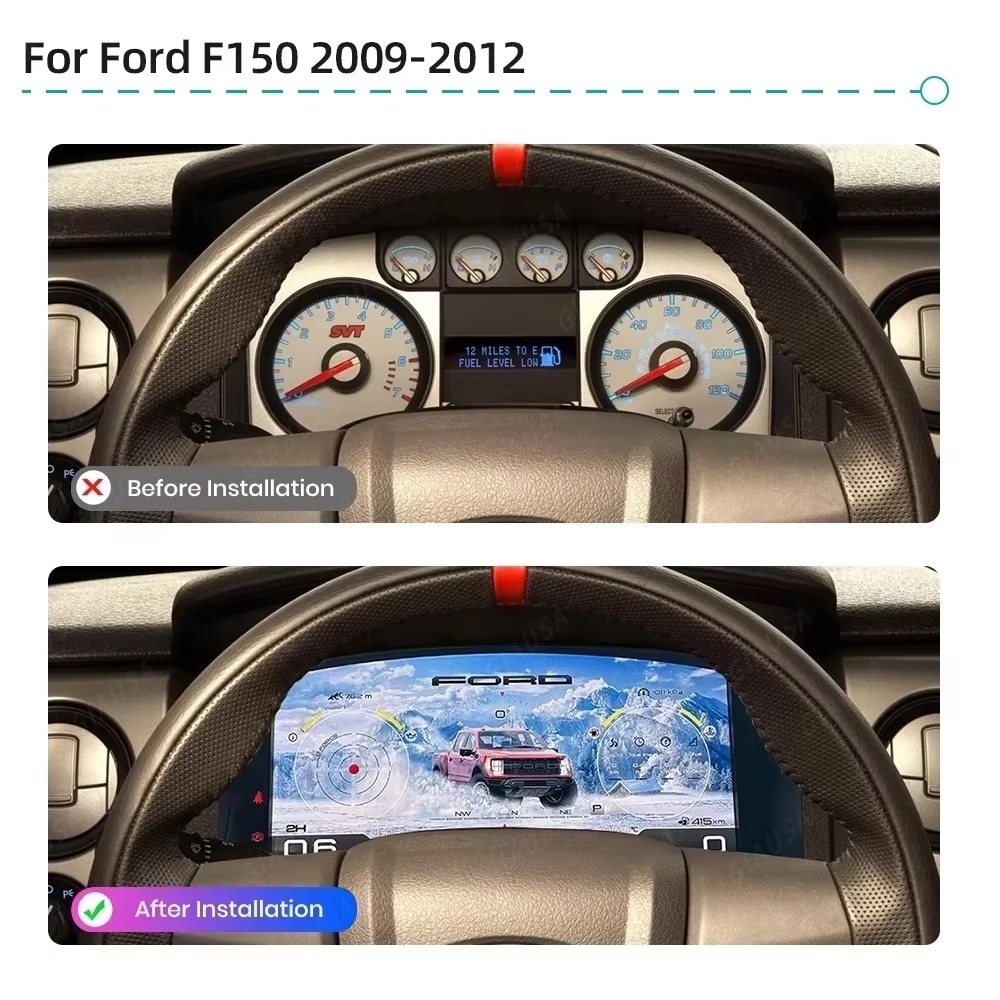
Før og efter
The original analog cluster provides basic information, while the digital replacement creates a wider, brighter and more configurable view directly in the driver’s normal line of sight.
Factory Controls
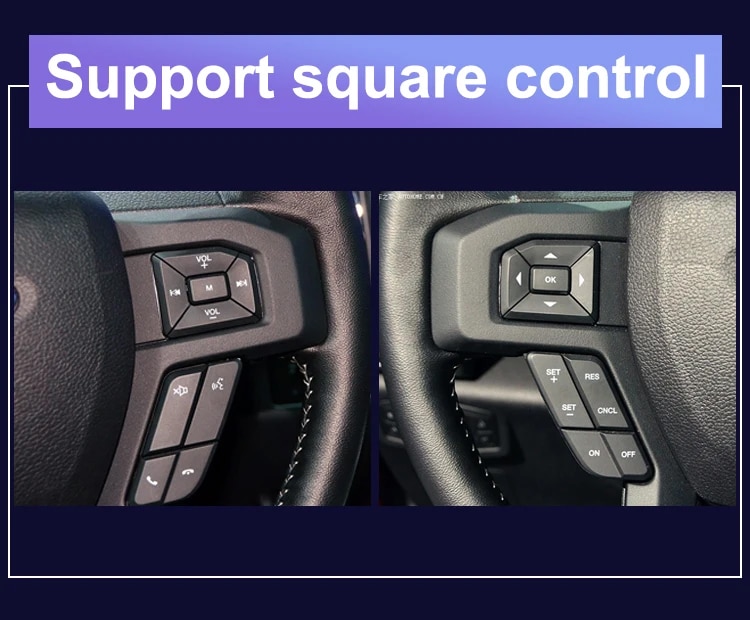
The supported factory arrow and OK controls let you move through cluster pages, settings and UI modes without adding an unrelated controller to the dashboard.
Køretøjsdata
The screen layout can vary by year version and selected theme, but the purpose is consistent: make supported vehicle, maintenance, off-road and navigation information easier to find during daily use.
Feature Overview
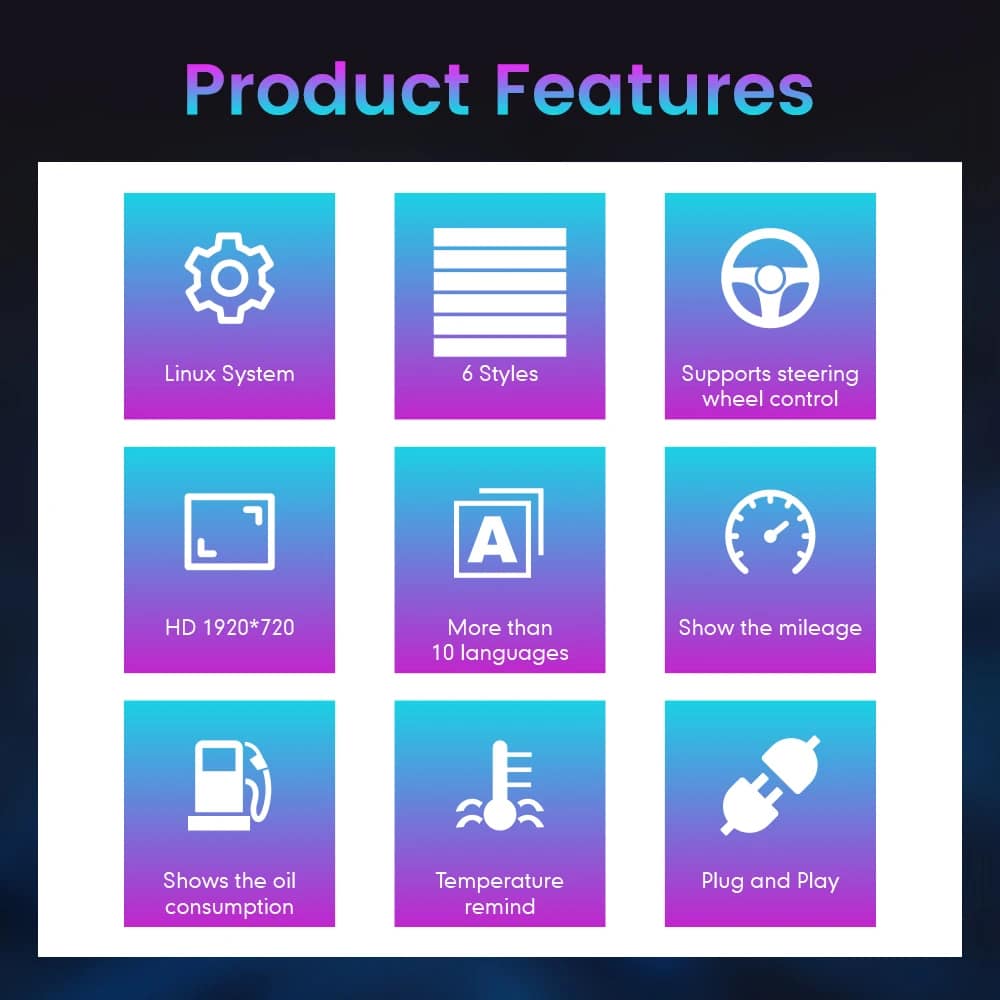
The cluster is built around Linux, selectable layouts, steering-wheel control, mileage display, vehicle-status information and supported CarPlay / Android Auto / Android head unit map information display. For your order, iKAGOO prepares the 13.1-inch, 1920 × 932 configuration stated in the purchase specifications.
Vehicle and Regional Name Guide
This cluster is built around the 12th-generation F-150 dashboard architecture. The purchase area currently provides two hardware groups because the original cluster structure changes across the production run.
Select the 2009–2012 option and provide a clear photo of the original cluster. This includes matching trucks with the earlier gauge layout.
Select the 2013–2014 option and provide the later original cluster photo so the correct physical version can be prepared.
The first-generation Raptor belongs to this F-150 generation. Match by model year and original cluster appearance; there is no 2009 model-year SVT Raptor.
Mexican-market badge names can refer to the same generation, but the dashboard, original cluster and connector configuration must match before ordering.
This product is prepared around the North American left-hand-drive dashboard shown. For an aftermarket RHD conversion, send full dashboard and steering-control photos before purchase.
Do not choose this 2009–2014 version. Use the separate 2015–2020 F-150 digital cluster page .
Produktspecifikationer
Ordreforberedelse
Provide the model year, trim, engine/fuel type and market.
Send the original cluster and a full driver-side dashboard photo.
We match the 2009–2012 or 2013–2014 hardware configuration.
Confirm CarPlay, Android Auto or Android head unit map output before shipment.
After delivery, use the provided guidance and contact iKAGOO if the layout or map display behavior differs.
iKAGOO Purchase Evaluations
A score of 92/100 does not mean that 8% of factory functions are lost. The score also reflects that the new Linux interface and menu structure differ from the original Ford analog cluster.
Suitable for an experienced DIY installer or an automotive electronics installer. The level describes the work required; it does not indicate lower product quality or lower upgrade value.
Compare the Real Outcomes
Installation
This is not a simple USB accessory. Correct work requires careful trim removal, cluster removal, original-component handling, matched connection, CarPlay / Android Auto / Android head unit map source setup and complete function testing.
Shipping and Support
Normally 1–3 business days before dispatch, with additional time when vehicle information or configuration needs clarification.
Typical delivery after dispatch: USA/Canada 5–9 business days, EU 7–15, UK/Australia 7–10, other supported regions 7–20.
Eligible manufacturing defects and hardware failures under normal use are covered by the current limited hardware warranty.
When iKAGOO confirmed compatibility from accurate pre-purchase information but no reasonable solution works, the current published refund policy applies.
Spørgsmål fra købere
Klar til at opgradere
Choose the correct year version, send the requested vehicle photos and let iKAGOO prepare the matched digital cluster configuration, UI setup and map-display guidance for your truck.


Tydelige oplysninger om ordrebehandling, international levering, køretøjsspecifikke produkter, garantiservice, returneringer og beskadigede forsendelser.
Disse svar giver et praktisk overblik. De fulde vilkår, som der er linket til nedenfor, gælder for alle ordrer.
De fleste iKAGOO-ordrer afsendes fra vores distributionscenter i Kina, efter at produktkonfigurationen og køretøjsoplysningerne er blevet kontrolleret. Den normale ordrebehandling tager cirka 1–3 arbejdsdage.
De forventede leveringstider efter afsendelse er:
Leveringstidspunkterne kan blive påvirket af toldbehandling, lokale helligdage, levering til afsidesliggende områder, vejrforhold eller forsinkelser hos transportøren.
Standard international forsendelse omfatter normalt ikke moms i modtagerlandet, importafgifter, mæglergebyrer eller toldbehandlingsgebyrer.
For destinationer i Den Europæiske Union, der opfylder betingelserne, er der en valgfri DDP-fragtjeneste kan forekomme. Importrelaterede gebyrer er kun inkluderet, hvis DDP vælges ved kassen eller bekræftes skriftligt af iKAGOO inden afsendelse.
Når DDP ikke er valgt, er modtageren ansvarlig for eventuelle afgifter, der opkræves af de lokale toldmyndigheder eller transportøren.
Ekspres- eller hurtiglevering kan være tilgængelig for udvalgte produkter og destinationer. Tilgængelighed, transportør og eventuelle ekstraomkostninger bekræftes inden afsendelse.
Afhængigt af destinationen og produkttypen kan iKAGOO benytte transportører som f.eks. DHL, FedEx, UPS, EMS, 4PX eller en anden logistikudbyder med sporingsmulighed.
Når ordren er afsendt, vil sporingsnummeret eller sporingslinket normalt blive sendt til den e-mailadresse, der blev brugt ved bestillingen.
Det kan tage flere hverdage, før opdateringerne vises, mens en pakke overføres mellem internationale og lokale transportører.
Om returnering er mulig, afhænger af årsagen til returneringen, produktets tilstand, installationsstatus, den fremlagte dokumentation samt om returneringen er blevet godkendt af iKAGOO.
Ved returnering af et produkt, der ikke er defekt, skal produktet normalt være ubrugt, ikke-installeret, komplet og egnet til videresalg. Kunden er som udgangspunkt ansvarlig for de godkendte returforsendelsesomkostninger.
Oprindelige forsendelsesomkostninger, DDP-omkostninger, moms, toldafgifter og andre logistikomkostninger kan som udgangspunkt ikke refunderes, medmindre dette kræves i henhold til gældende lovgivning eller bekræftes anderledes af iKAGOO.
Du må ikke sende et produkt tilbage, før du har modtaget en godkendt returadresse og returvejledning fra iKAGOO.
Der kan gælde yderligere beskyttelse, hvis iKAGOO har bekræftet kompatibiliteten inden købet, kunden har angivet korrekte oplysninger om køretøjet, og kunden har samarbejdet om rimelige installations- og fejlsøgningsforanstaltninger.
Hvis iKAGOO bekræfter, at der ikke findes nogen rimelig teknisk løsning, og problemet indberettes inden for 7 kalenderdage efter levering, kan kunden være berettiget til at få produktprisen refunderet uden at være forpligtet til at returnere produktet.
De oprindelige forsendelsesomkostninger, DDP, moms, toldafgifter og andre tredjepartsgebyrer er ikke inkluderet i denne produktprisrefusion.
Blandt de iKAGOO-produkter, der er omfattet af tilbuddet, er en 12 måneders begrænset hardwaregaranti der dækker påviste produktionsfejl og berettigede hardwarefejl ved normal brug.
Afhængigt af problemet kan løsningen omfatte fjerndiagnose, hjælp til konfiguration, reservedele, reparation, udskiftning af produktet, delvis refusion eller fuld refusion.
Garantien dækker normalt ikke skader forårsaget af forkert ledningsføring, uautoriserede ændringer, utilsigtede skader, vandindtrængning, stød, forkert brug, forkert spænding, installationsfejl eller udstyr fra tredjeparter, der ikke er kompatibelt.
En inspektion eller undersøgelse foretaget af en tredjepart medfører ikke automatisk, at hele garantien bortfalder. Skader forårsaget af uautoriseret reparation, udskiftning af komponenter, forkerte ændringer, afbrudte kredsløb eller forkert samling er dog ikke dækket.
Kontakt iKAGOO, inden du adskiller eller reparerer produktet, så den korrekte diagnostiske fremgangsmåde kan angives.
Kontakt iKAGOO inden for 7 kalenderdage efter levering og opbevar den originale emballage, fragtmærkaten, tilbehøret og selve produktet.
Send venligst tydelige fotos eller videoer, der viser:
Efter en undersøgelse kan iKAGOO sørge for forsendelse af manglende dele, udskiftning, reparation, refusion eller en anden rimelig løsning afhængigt af den konkrete sag.
Kontakt iKAGOO, inden du installerer eller tager produktet i brug. En ombytning eller returnering kan godkendes, hvis produktet er ubrugt, ikke er installeret, er komplet og egnet til videresalg.
Kunderne skal normalt selv betale forsendelsesomkostningerne og eventuelle prisforskelle, hvis der er valgt et forkert produkt, en forkert bilmodel, et forkert årstal eller en forkert fabrikskonfiguration.
Der udstedes ikke automatisk en gratis forudbetalt returlabel.
Kontakt iKAGOO så hurtigt som muligt, helst inden for 12 timer efter bestillingen er afgivet, når du anmoder om en adresse, en køretøjskonfiguration eller en produktændring.
En ændring eller annullering træder først i kraft, når den er bekræftet af iKAGOO. Køretøjsspecifikke produkter kan gå videre til indkøb, programmering, test, konfiguration eller tilpasning kort efter betalingen.
Når forberedelsen eller forsendelsen er påbegyndt, er det muligvis ikke længere muligt at annullere ordren, eller der kan blive fratrukket rimelige omkostninger, der allerede er afholdt.
Pakkens indhold varierer afhængigt af produkt, bilmodel, fabriksmonteret system og den valgte konfiguration.
Afhængigt af produktet kan pakken indeholde selve enheden, køretøjsspecifikke ledningsnet, CANBUS-grænseflade, adaptere, USB-kabler, antenner, mikrofoner, monteringsdele og andet tilbehør til installationen.
Se den relevante produktside, billederne af emballagen og ordrebekræftelsen for at få det nøjagtige indhold.
Du kan kontakte iKAGOO via kontaktformularen, e-mail, WhatsApp eller de tilgængelige supportkanaler på hjemmesiden. Den typiske svartid er inden for 24 arbejdstimer.
For at få hurtigere teknisk support bedes du angive dit ordrenummer, bilmodel og årgang, billeder af det originale system, produktbilleder samt en tydelig video, der viser problemet.
Besøg: iKAGOO Kontakt og support
Betalinger behandles via de sikre betalingsmetoder, der vises under kassen. De tilgængelige kort-, e-wallet- og afbetalingsmuligheder kan variere afhængigt af land, valuta, betalingsudbyder og kundens berettigelse.
Alle afbetalingsordninger, herunder de muligheder, der tilbydes af PayPal eller en anden udbyder, er underlagt den pågældende udbyders regionale tilgængelighed og godkendelsesregler.
Læs de fulde vilkår og betingelser igennem, inden du bestiller, især hvad angår køretøjsspecifikke produkter, internationale afgiftsordninger og returneringer i forbindelse med montering.
Denne FAQ er en forenklet vejledning til kunderne. De fuldstændige, offentliggjorte vilkår, ordrebekræftelsen og gældende forbrugerlovgivning har forrang, hvis der er uoverensstemmelser i formuleringerne.
From: $1,380.00
 English English
  Español
  Deutsch
  Italiano
  Português
  العربية
  Nederlands
  Français
  Bahasa Indonesia
  Svenska
  Русский
  ไทย
ไทย  Tiếng Việt
  Dansk
Dansk  Hrvatski
  Bosanski English English Español
Deutsch
Italiano
Português
العربية
Nederlands
Français
Bahasa Indonesia
Svenska
Русский
ไทย
Tiếng Việt
Dansk
Hrvatski
Bosanski
Bosanski English English Español
Deutsch
Italiano
Português
العربية
Nederlands
Français
Bahasa Indonesia
Svenska
Русский
ไทย
Tiếng Việt
Dansk
Hrvatski
Bosanski
Vælg, hvad du har tænkt dig at købe. Vi viser kun de detaljer, der er nødvendige for det pågældende produkt.
Vi gennemgår detaljerne og sender den anbefalede produktversion til din e-mail.
Vi bruger nødvendige cookies for at holde siden sikker og fungere korrekt. Med dit samtykke kan vi også bruge analysecookies til at forbedre browsingoplevelsen. Se vores Politik for beskyttelse af personlige oplysninger.

Michael Brown -
I installed this on my 2009 Raptor. The ‘Off-road Mode’ is absolutely amazing—seeing the real-time pitch, roll angles, and tire pressure on the 13.1-inch HD screen makes the stock analog gauges look like they’re from the Stone Age. The installation was truly plug-and-play
The installation was plug-and-play, the menu is lag-free, the visual effects are stunning, and the resolution is extremely high