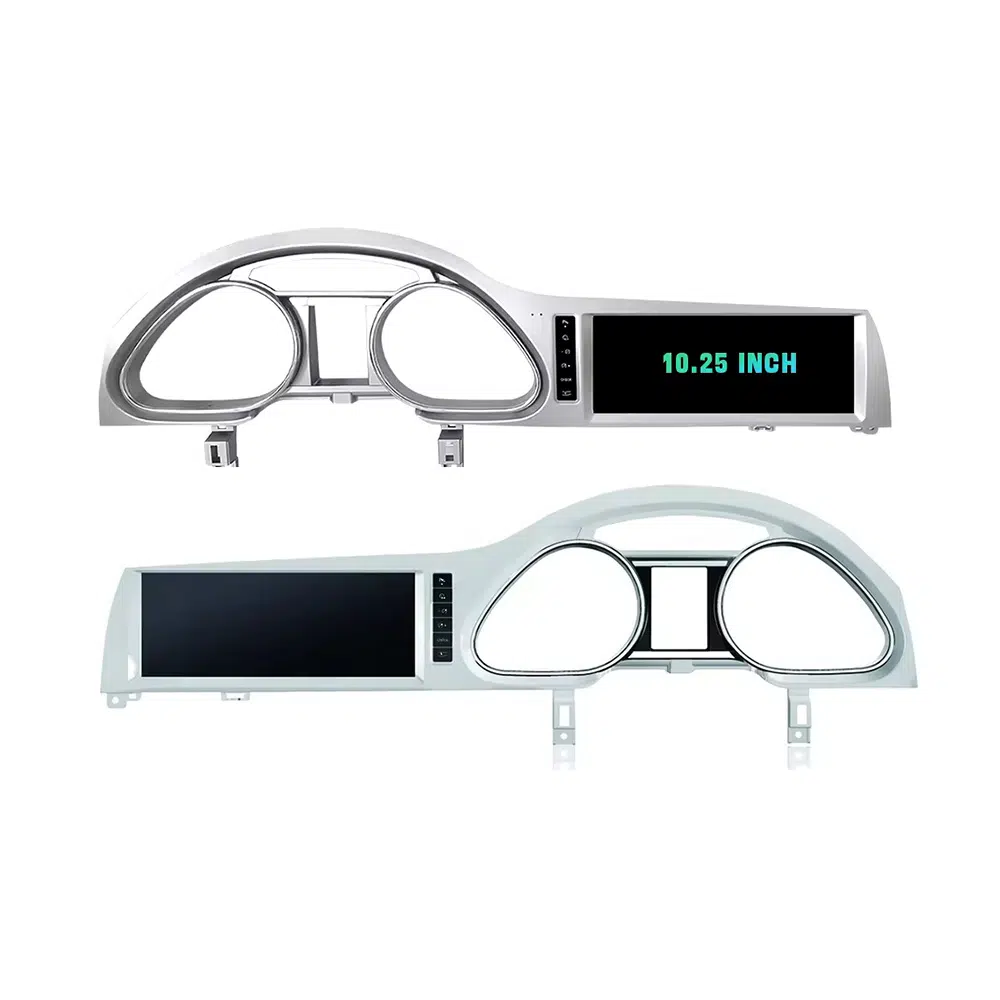
Upgrade your Audi Q7 4L with a vehicle-specific 10.25-inch Android screen route that adds wireless CarPlay, Android Auto, GPS navigation, DSP audio, WiFi/4G and supported Audi system switching without turning the cabin into a generic tablet installation.
Before shipment, iKAGOO checks your model year, dashboard frame, CD/MMI panel, steering position, factory amplifier, MOST fiber-optic route, camera system and connector photos to prepare the correct screen, harness and vehicle interface for your order.
Audi Q7 10.25 Android Screen Upgrade 2006–2015
This iKAGOO upgrade is a vehicle-specific 10.25 Android screen upgrade for selected Audi Q7 4L vehicles from 2006 to 2015. It upgrades the old factory display experience with a wider Android touchscreen, wireless CarPlay, Android Auto, GPS navigation, Bluetooth, WiFi/4G and DSP audio on supported hardware versions. Supported Audi functions such as original system switching, steering-wheel controls, original camera route, original speaker output and vehicle information can continue to work after the correct frame, CANBUS, audio adapter and decoder route are prepared. Before shipment, iKAGOO checks your vehicle year, LHD/RHD position, MMI/CD panel, Bose or MOST fiber-optic requirement and connector photos. It is suitable for Q7 owners who want a modern screen upgrade instead of only repairing or keeping the old MMI screen.
Why This 10.25 Android Screen Upgrade Fits the Audi Q7 4L
Modern screen without a cheap tablet look
The Q7 dashboard has a wide factory screen area. This 10.25-inch route uses the vehicle-specific frame shape so the upgrade looks integrated with the original trim.
Daily-use CarPlay and Android Auto
Use phone maps, calls, music, messages and compatible voice functions on a larger in-dash display instead of relying only on the old MMI interface.
MMI, Bose and MOST checked before shipment
Audi Q7 screen upgrades fail when the audio route is guessed. iKAGOO checks the MMI panel, amplifier and fiber-optic route before preparing the order.
Original Audi Functions Supported After Correct Matching
These functions depend on the confirmed vehicle system, correct harness, CAN decoder, camera route, audio adapter and installation configuration.
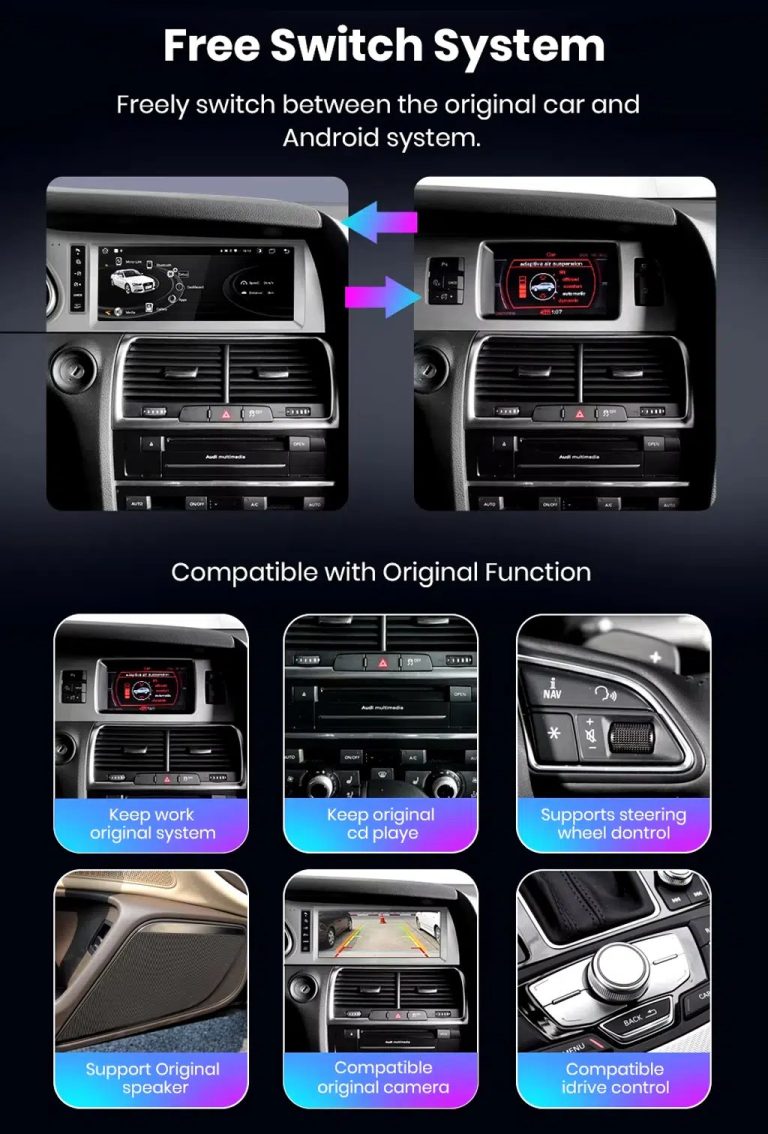
- Original Audi menu access
Supported original-system switching can be retained through the matched integration route. - Ratbetjening
Supported steering-wheel buttons can continue to work through the matched CAN decoder. - Original camera route
Rear camera AHD/CVBS and 360 camera routes must be confirmed before shipment. - Bose / amplifier audio route
Factory speaker output can work when the correct amplifier or MOST fiber-optic decoder route is prepared. - Oprindelige køretøjsoplysninger
Supported vehicle data can continue to display through the correct system-switching and CANBUS route. - Beskyttelse af fabriksmonterede ledningsføringer
The matched harness is designed for clean connection without intentionally cutting the supported factory main wiring.
Confirm Your Audi Q7 4L Before We Prepare the Screen
Vehicle Information Needed Before Shipment
- Exact Audi Q7 year and market region.
- Venstrestyring eller højrestyring.
- Originalbillede af instrumentbrættet og skærmen.
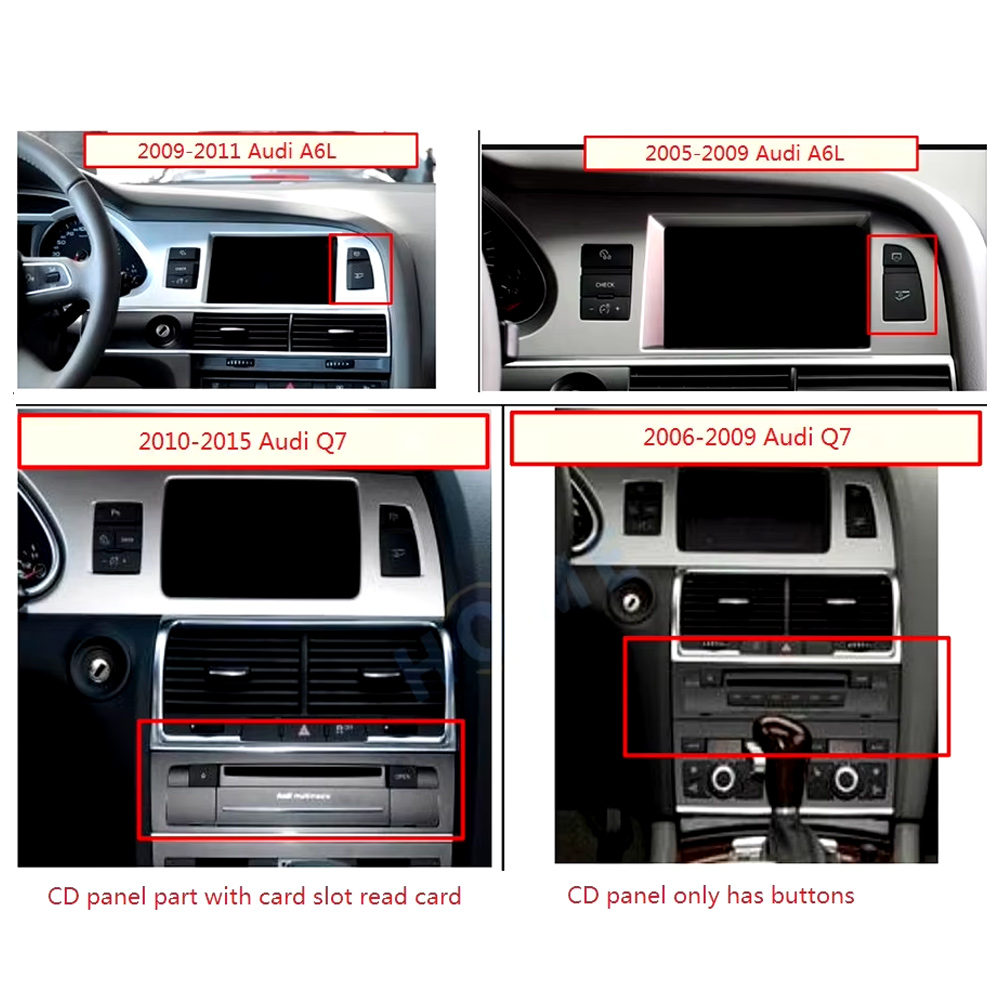
- Foto af original-CD’en / MMI-betjeningspanelet.
- Factory audio system: Bose, external amplifier or standard audio.
- Original connector photos if requested.
- Whether your Q7 has MOST fiber optic, original rear camera or 360 camera.
- Preferred hardware version: 4GB+64GB or 8GB+256GB.
Why these details matter
The Audi Q7 4L can use different dashboard frames, CD panels, MMI systems, Bose amplifiers, MOST fiber-optic audio routes, camera systems and LHD/RHD interiors. These details help iKAGOO prepare the correct 10.25 Android screen, wiring harness, CAN decoder, audio adapter, fiber-optic decoder and camera route.
This reduces wrong-order risk such as no sound, wrong frame, no original menu switching, camera mismatch or unsupported steering control behavior after installation.
Vigtige produktspecifikationer
| Produkttype | Audi Q7 10.25 Android screen upgrade / Android stereo / vehicle-specific Android head unit route. |
|---|---|
| Main Fitment | Selected Audi Q7 4L vehicles in the 2006–2015 range. Some 2005 market-year vehicles may match the same route after dashboard and CD/MMI panel photo confirmation. |
| Skærmstørrelse | 10.25-inch vehicle-specific display. |
| System | Android 13 system shown in current product attributes. |
| CPU | 8-core CPU-konfiguration afhængigt af det valgte bundkort. |
| Bundkort | TSK / TSK8259 / TSK8667 according to selected hardware route. |
| Checkout Memory Options | 4GB+64GB 8-core and 8GB+256GB 8-core options shown on the current purchase area. |
| Lyd | DSP 32-band EQ support where selected hardware and audio route support it. |
| Bluetooth | BT 4.0 / BT 5.0 depending on selected hardware version. |
| Navigation | GPS / Glonass support for compatible online or offline navigation apps. |
| Netværk | WiFi / 4G support where selected hardware and local service allow it. |
| DVR | USB front / rear 1080P DVR route where compatible accessories are used. |
| Radio | FM / AM / RDS or FM / RDS depending on selected hardware route. |
| Camera Route | Rear view camera AHD, rear view camera CVBS and 360 panorama routes require vehicle and version confirmation. |
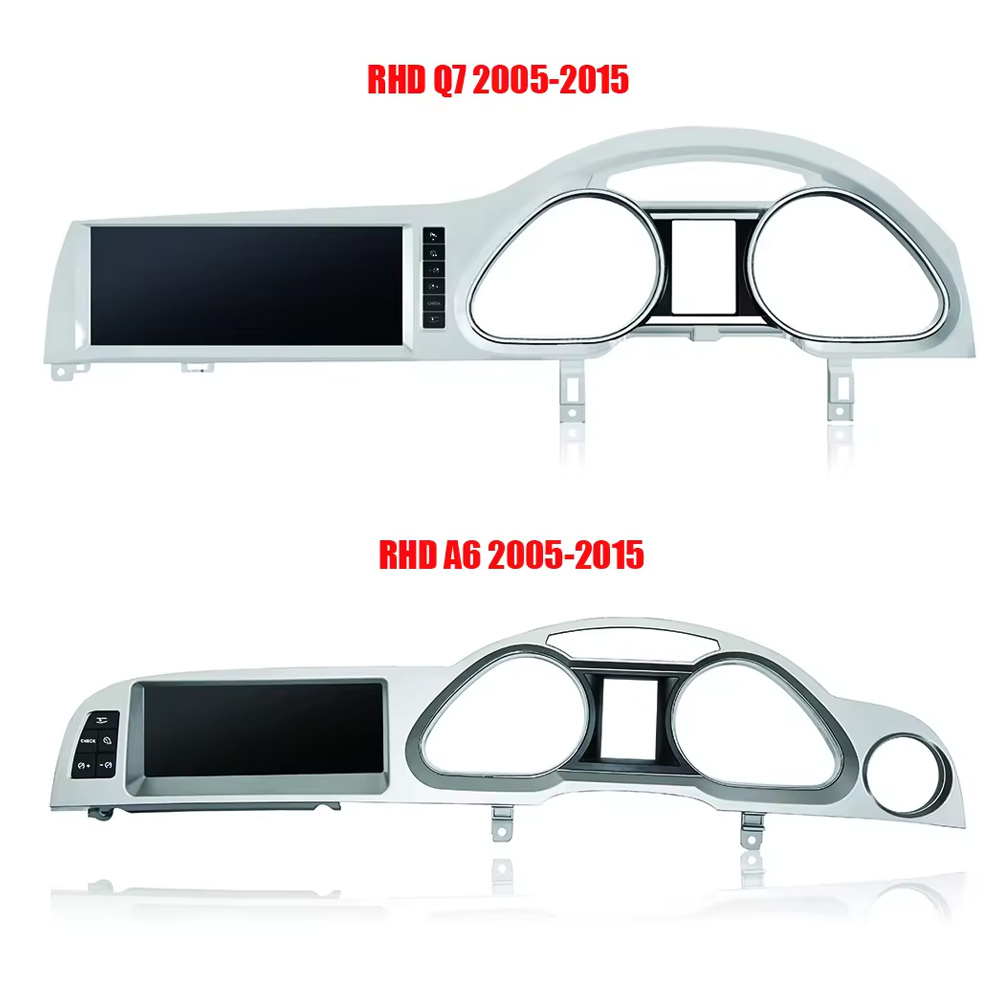
| Ratposition | Left-hand drive and right-hand drive routes must be confirmed before shipment. |
| Package Data | Listed weight: 3.5 kg. Listed dimensions: 85 × 35 × 25 cm. |
Vælg den rigtige hardwareversion
4GB + 64GB 8-core
A practical choice for buyers who mainly want CarPlay, Android Auto, Bluetooth, navigation and daily media use without choosing the highest storage option.
- God brugervenlighed i hverdagen
- Better than basic memory routes
- Suitable for normal app and navigation use
8GB + 256GB 8-core
The stronger option for owners keeping the Q7 long term and wanting smoother Android operation, more storage and better multitasking space.
- Den højeste angivne lagringsrute
- Better for heavier app use
- Recommended for long-term ownership
iKAGOO Purchase Assessment for This Q7 Screen Upgrade
Behov for opgradering af iKAGOO
89/100Gode grunde til at opgradere. Interiøret i første generation af Audi Q7 vinder klart ved en moderne 10,25-tommer Android-skærm, trådløs smartphone-integration, navigation og forbedret brugervenlighed af medieindhold.
View Upgrade Necessity StandardiKAGOO Original – Kompatibilitet med køretøjer
84/100Good compatibility route when the correct dashboard frame, MMI route, CAN decoder, amplifier adapter and fiber-optic requirement are checked before shipment.
En score på 84/100 betyder ikke, at 16% af fabriksfunktionerne er gået tabt. Det betyder, at dette produkt kræver en mere grundig kontrol, da lyd- og MMI-konfigurationerne i Audi Q7 4L varierer.
View Compatibility StandardSværhedsgrad ved installation af iKAGOO
Niveau 3Advanced DIY. Suitable for experienced DIY installers or an automotive electronics technician. Q7 MMI, MOST fiber optic, amplifier, camera and CANBUS routes must be checked carefully before final reassembly.
View Installation Difficulty GuideWhy Owners Choose iKAGOO for This Audi Q7 Screen Upgrade
Køretøjsspecifik forberedelse
iKAGOO checks your Q7 year, dashboard photos, MMI panel, steering side and audio system before shipment so the correct version can be prepared.
Screen, harness and interface matching
Det er vigtigere at vælge den rigtige CAN-dekoder, forstærkerkonfiguration og fiberoptiske løsning end blot at købe en skærm ud fra størrelsen alene.
Original function integration
The upgrade is prepared to retain supported original menus, steering-wheel controls, camera display and vehicle information where the matched route allows it.
Beskyttelse af fabriksmonterede ledningsføringer
The matched wiring harness is designed to avoid unnecessary cutting of the original main wiring when the vehicle and harness match.
Installation and setup support
Hvis din installatør har brug for hjælp til at identificere MMI-typen, fiberoptikforløbet eller resultatet af funktionstesten, kan iKAGOO yde support baseret på ordren.
12 måneders hardwaregaranti
Problemer med hardware, der er omfattet af garantien, håndteres i henhold til iKAGOO’s 12-måneders begrænsede garanti, som omfatter kundeservice i form af fejlfinding og passende løsninger.
Keep the Old MMI, Add a Box, or Upgrade with iKAGOO?
Kun fabriksmonteret MMI
Det er kun det bedste valg, hvis du er tilfreds med den gamle skærmstørrelse, det gamle brugergrænseflade og den begrænsede smartphone-integration.
- Ingen opgraderingsomkostninger
- Den gamle brugergrænseflade er stadig der
- Begrænset app-oplevelse
Modul udelukkende til CarPlay
Useful if you only need phone projection, but it does not give the Q7 a new Android display or modern screen layout.
- Begrænset synsændring
- Intet fuldt Android-system
- Det afhænger af den oprindelige skærms tilstand
Universal-skærm til Android
Det er måske billigere, men instrumentbrætets ramme i Audi Q7, MMI, Bose, MOST-fiber og kameraintegrationen kan udgøre en reel risiko.
- Usikkerhed vedrørende montering
- Kan se ud som eftermarkedsprodukter
- Øget risiko for lydproblemer
iKAGOO 10.25 Q7 Screen Upgrade
Best for owners who want a vehicle-specific 10.25-inch screen, CarPlay, Android Auto, navigation, DSP and Q7 configuration review before shipment.
- 10,25-tommer Q7-specifik ramme
- Trådløs CarPlay og Android Auto
- Original-system switching route
- Kontrol af fiberoptisk dekoder
- Køretøjsspecifik forberedelse
Købsbekræftelse
If you want your Audi Q7 4L to feel modern without making the dashboard look cheap or creating MMI/audio problems, this iKAGOO 10.25 Android screen upgrade is the stronger route than a generic screen or a small add-on box.
Produktbilleder og hvordan de hjælper dig med at træffe en beslutning
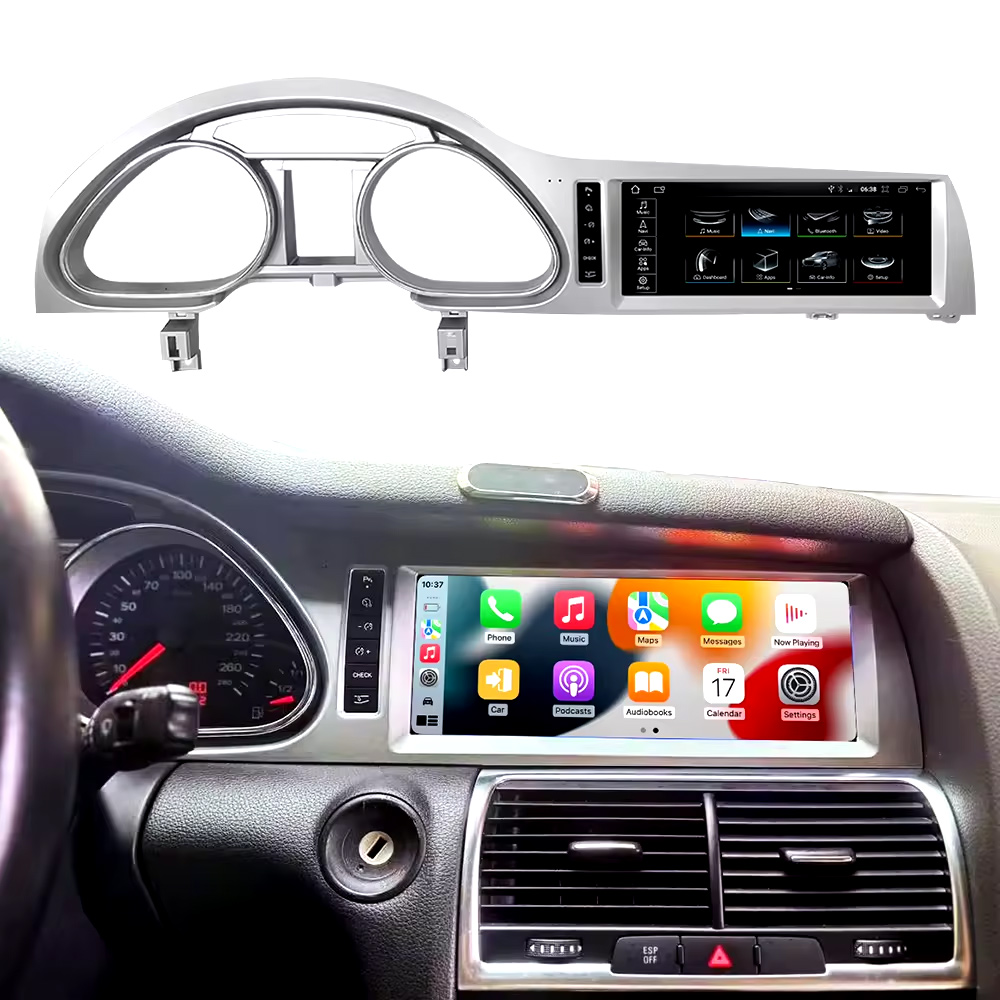
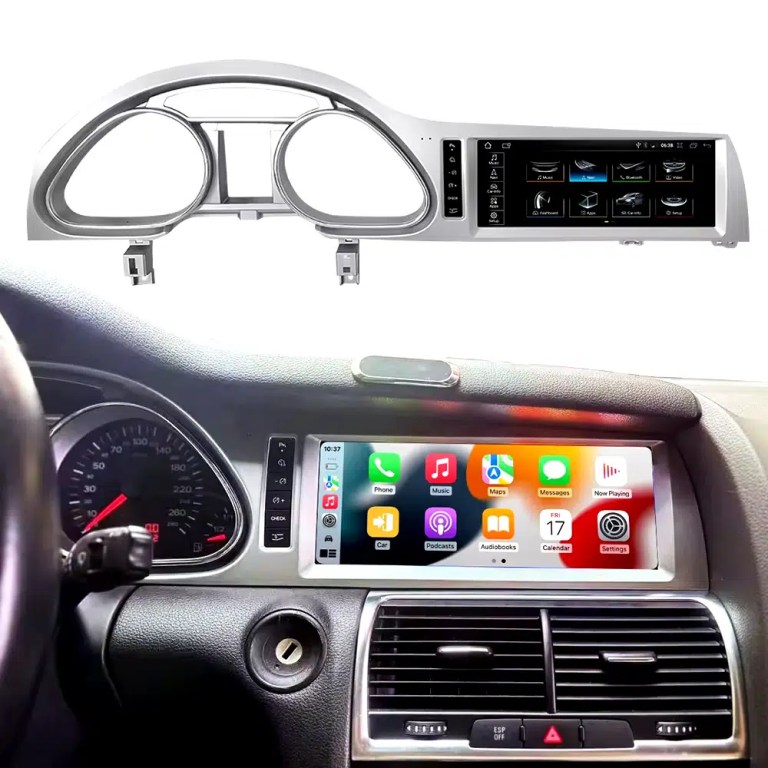
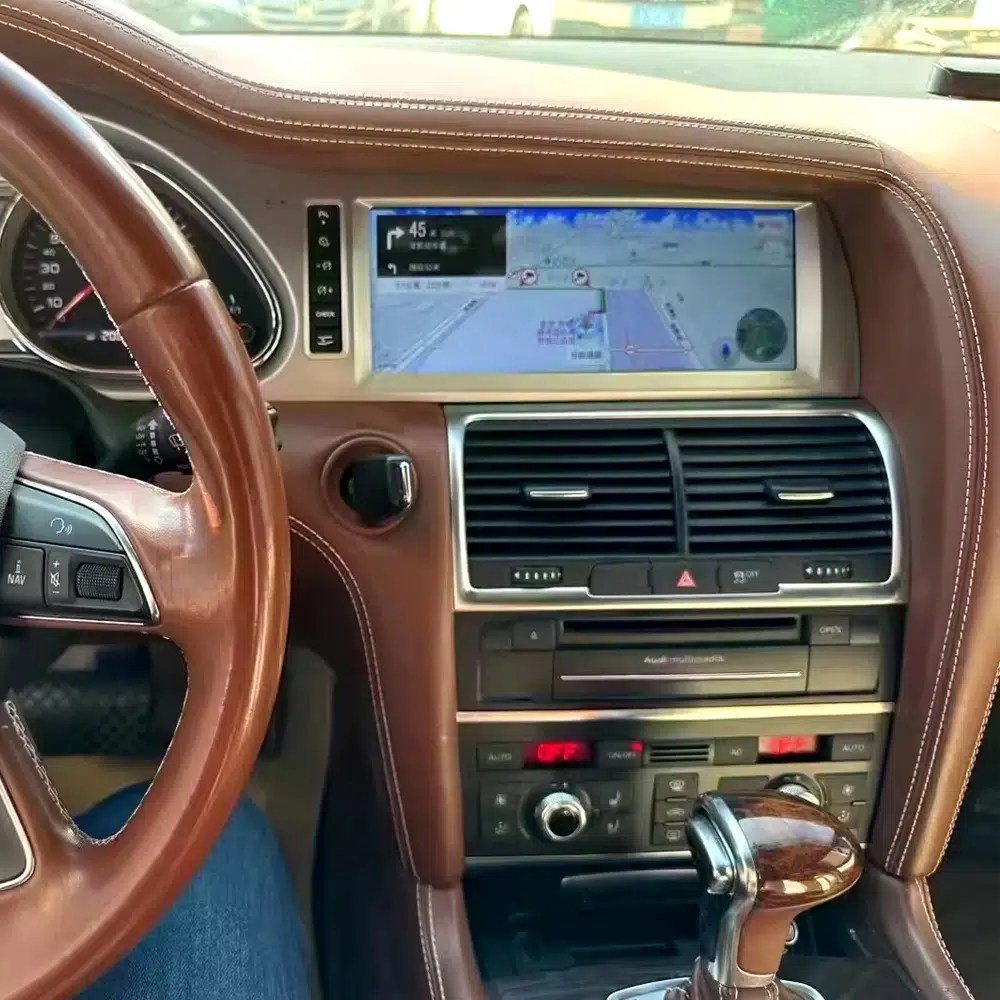
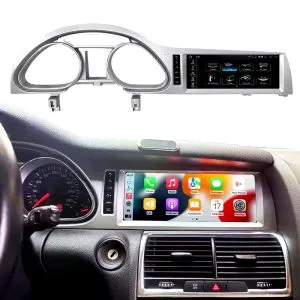
See the installed result inside the Audi Q7 dashboard
This cockpit view helps you judge the final screen position, dashboard balance and CarPlay-style daily-use interface before ordering.
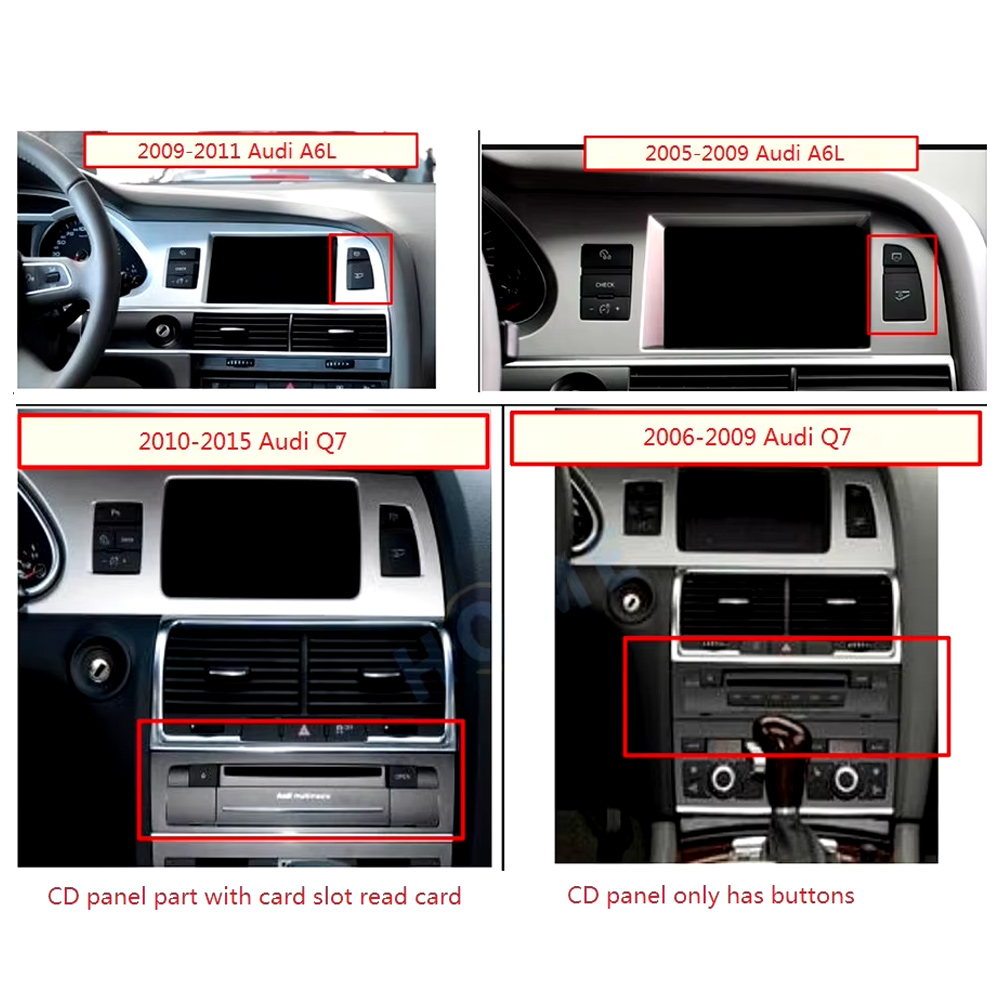
Check the original dashboard and CD/MMI panel before ordering
The correct Audi Q7 Android screen route depends on the original screen area, button layout, CD panel and model-year dashboard structure.
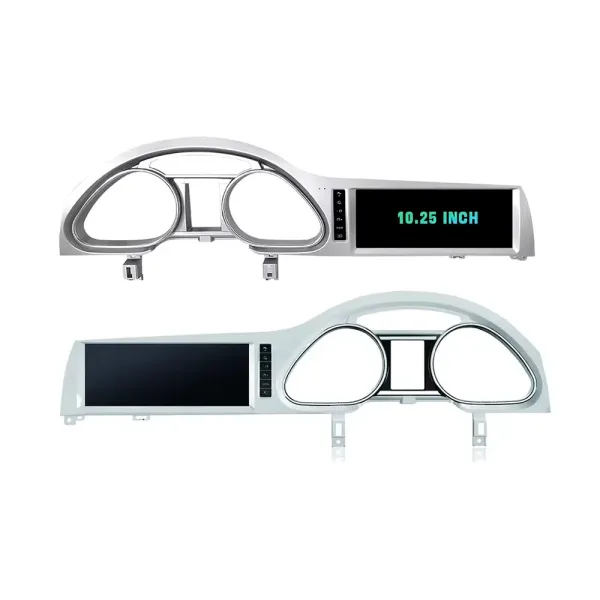
Confirm the 10.25-inch screen frame shape
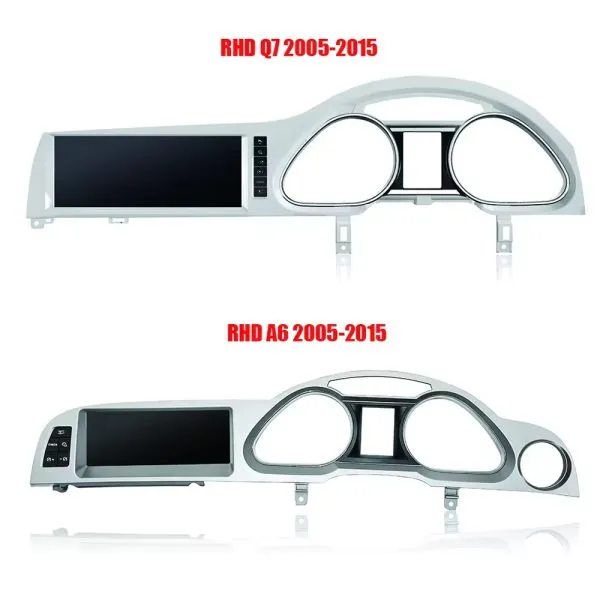
The product frame view helps you compare steering-side layout and screen position so iKAGOO can prepare the correct Q7-specific frame.
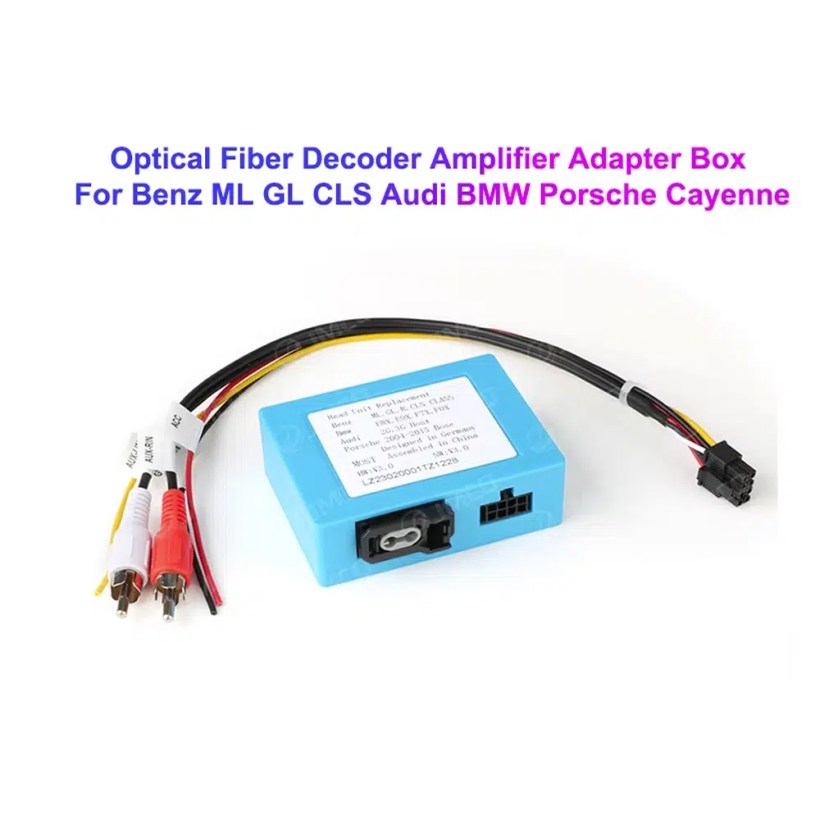
Understand the Bose and MOST fiber-optic decoder route
Many Q7 audio issues come from the amplifier and fiber-optic route. The required decoder must match the original Audi audio system and connector layout.
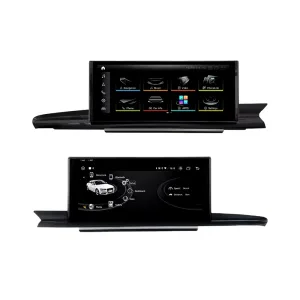
Compare Q7 and A6 frame routes carefully
This product reference makes one point clear: similar Audi frames are not automatically interchangeable. Your dashboard photo must be checked before shipment.
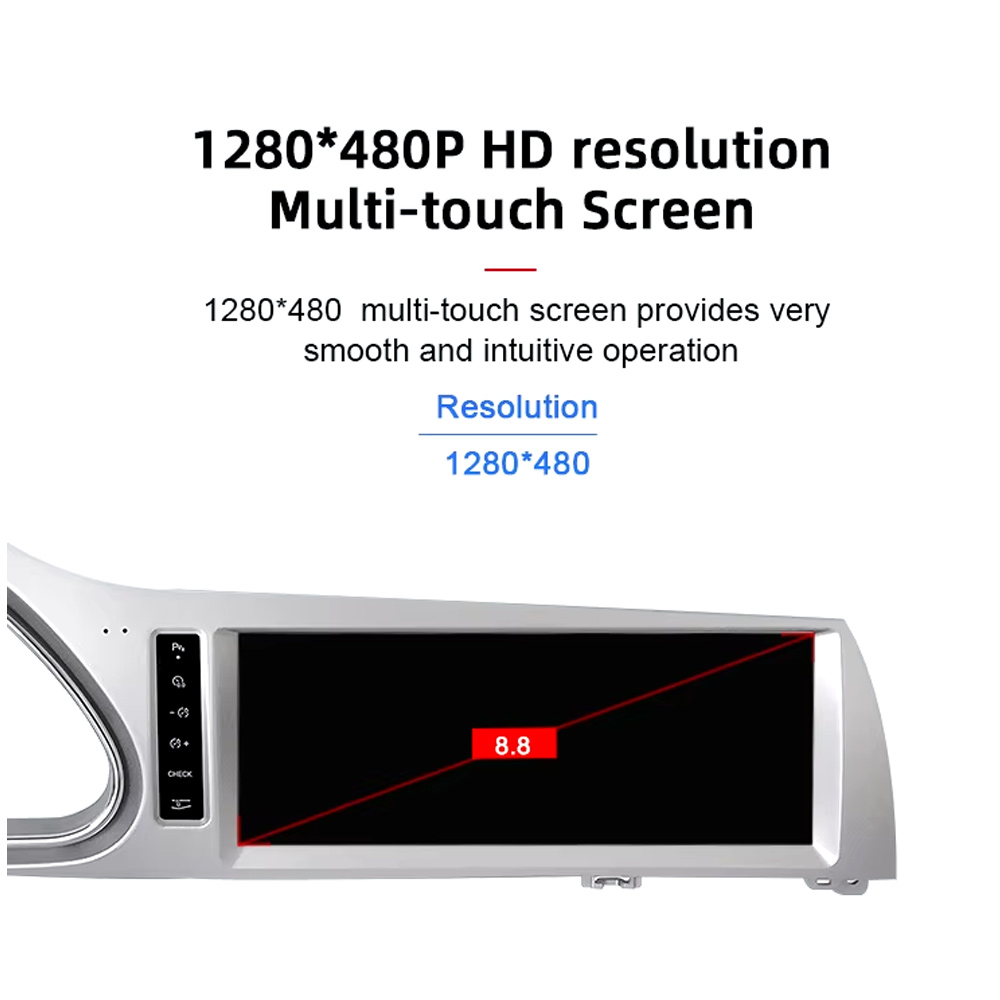
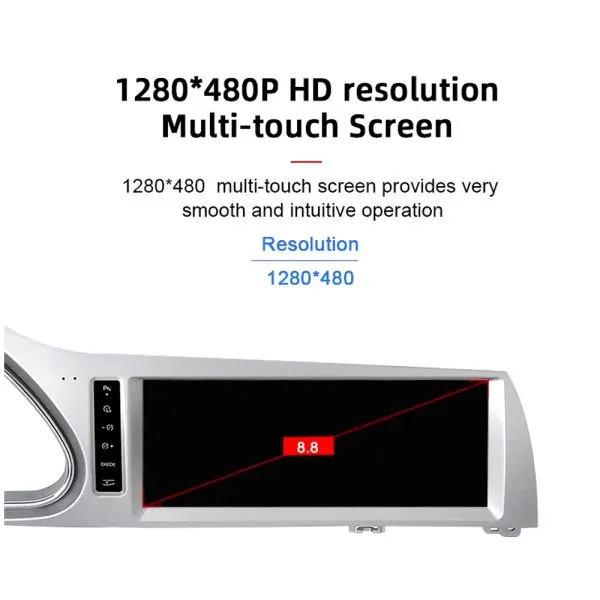
Review the 1280×480 screen reference
The wide display format is designed for the Q7 screen area and gives a cleaner navigation and media layout than the older factory display experience.
See navigation running inside a real Audi Q7 interior
The installed navigation view helps you judge driver visibility, screen angle and how the 10.25 Android display sits inside the used Q7 cabin.
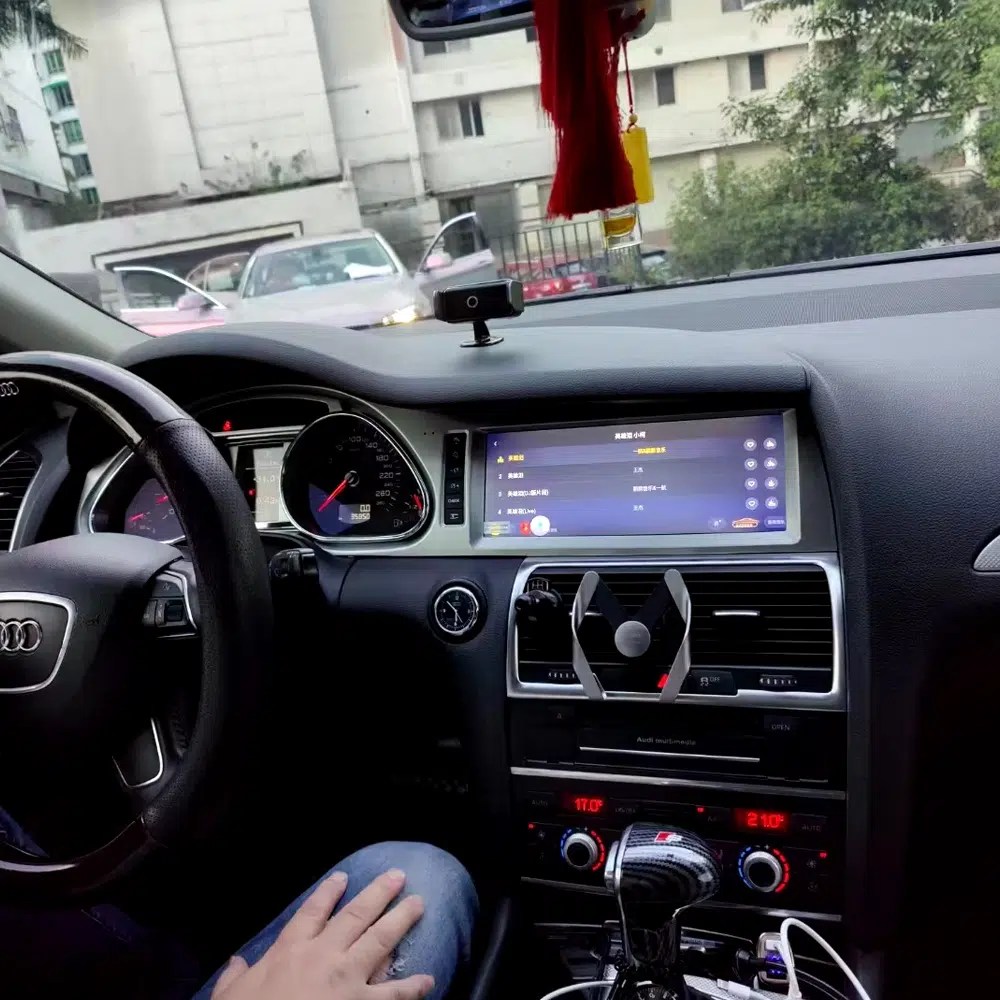
Check another real installation interface
This cabin view gives another practical reference for screen readability, dashboard integration and menu position after installation.
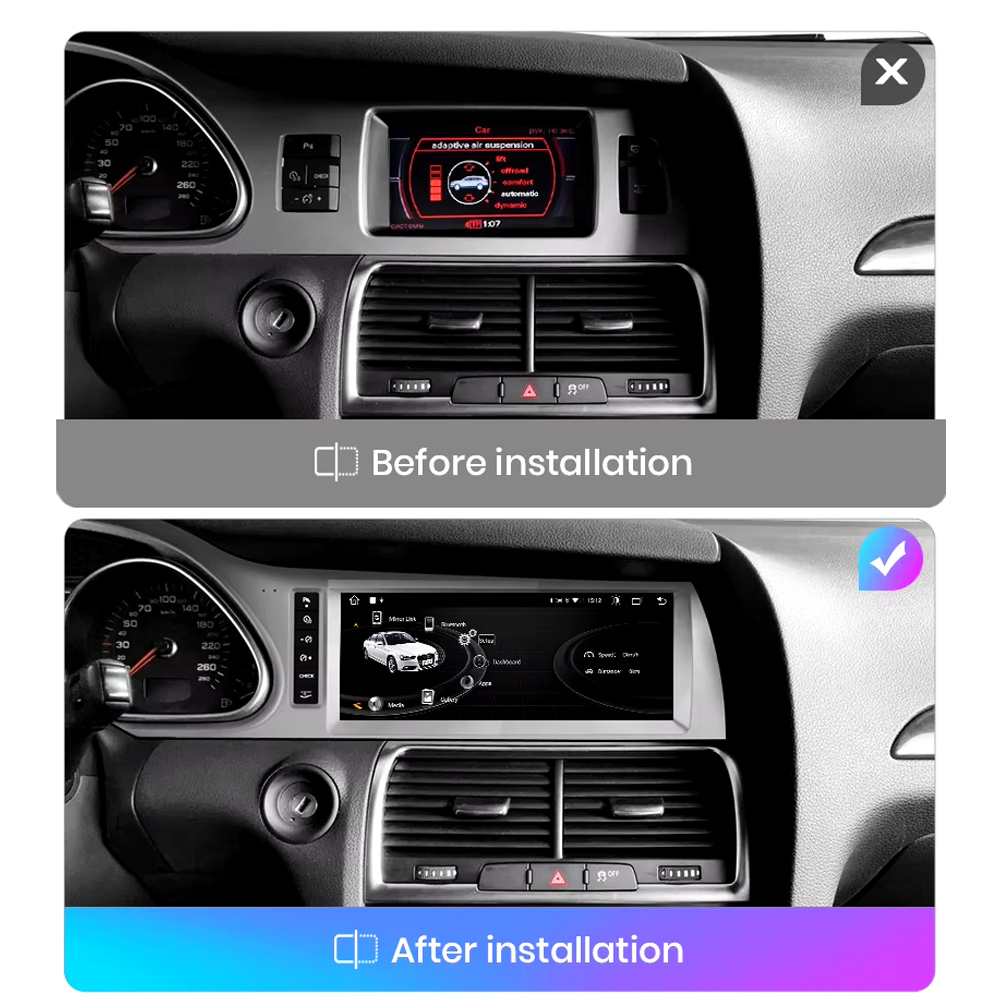
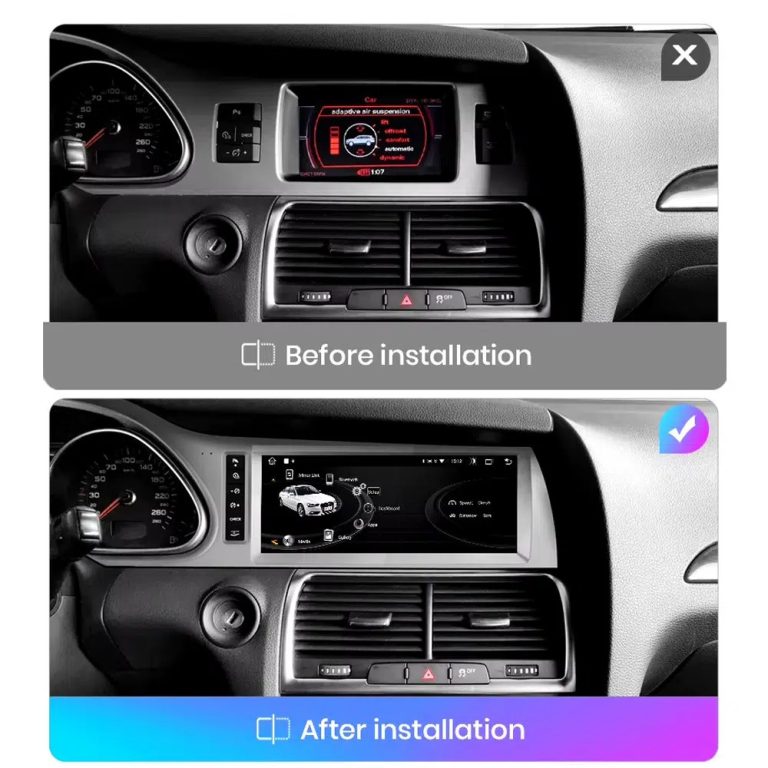
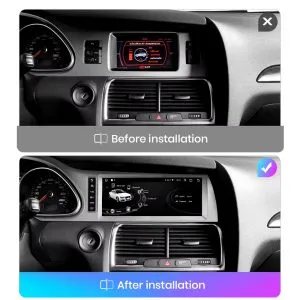
Compare the old display with the upgraded Android display
The before-and-after view shows the main visual change: the old screen area becomes a wider Android interface with a more modern layout.
Switch between Android and supported original Audi systems
System switching matters for Q7 owners because it helps keep supported Audi menus available while adding Android, CarPlay and Android Auto functions.
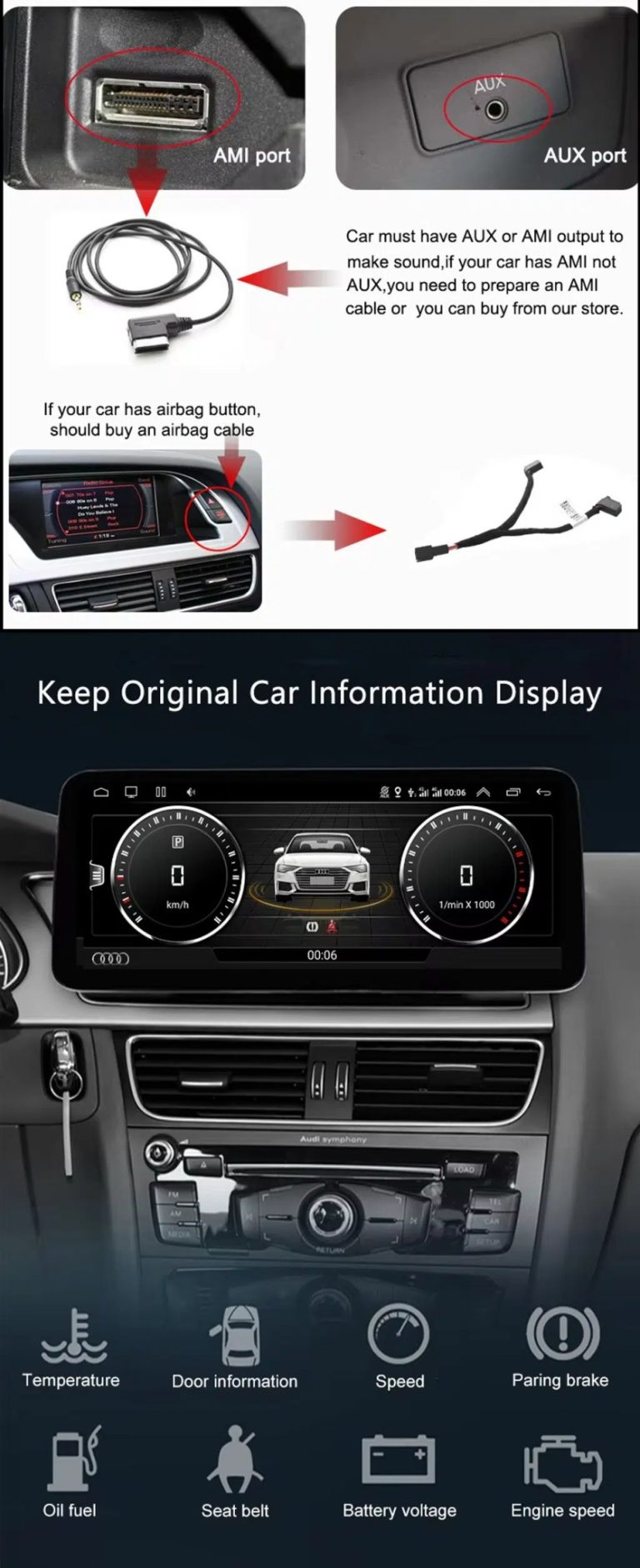
Check AUX, AMI and original vehicle information routes
Some Q7 configurations need the correct AUX, AMI or adapter route for sound and original data display. This should be checked before installation.
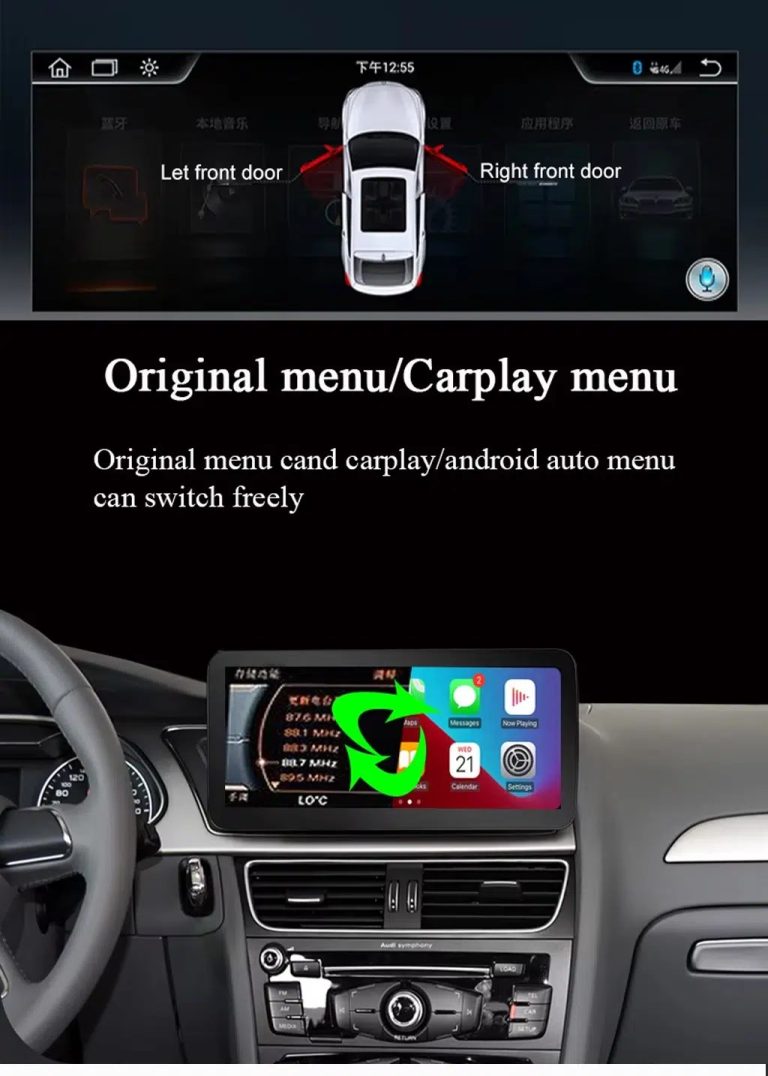
Use original menu and CarPlay menu switching
This interface direction shows how the owner can move between the supported original Audi interface and modern CarPlay or Android Auto style display.
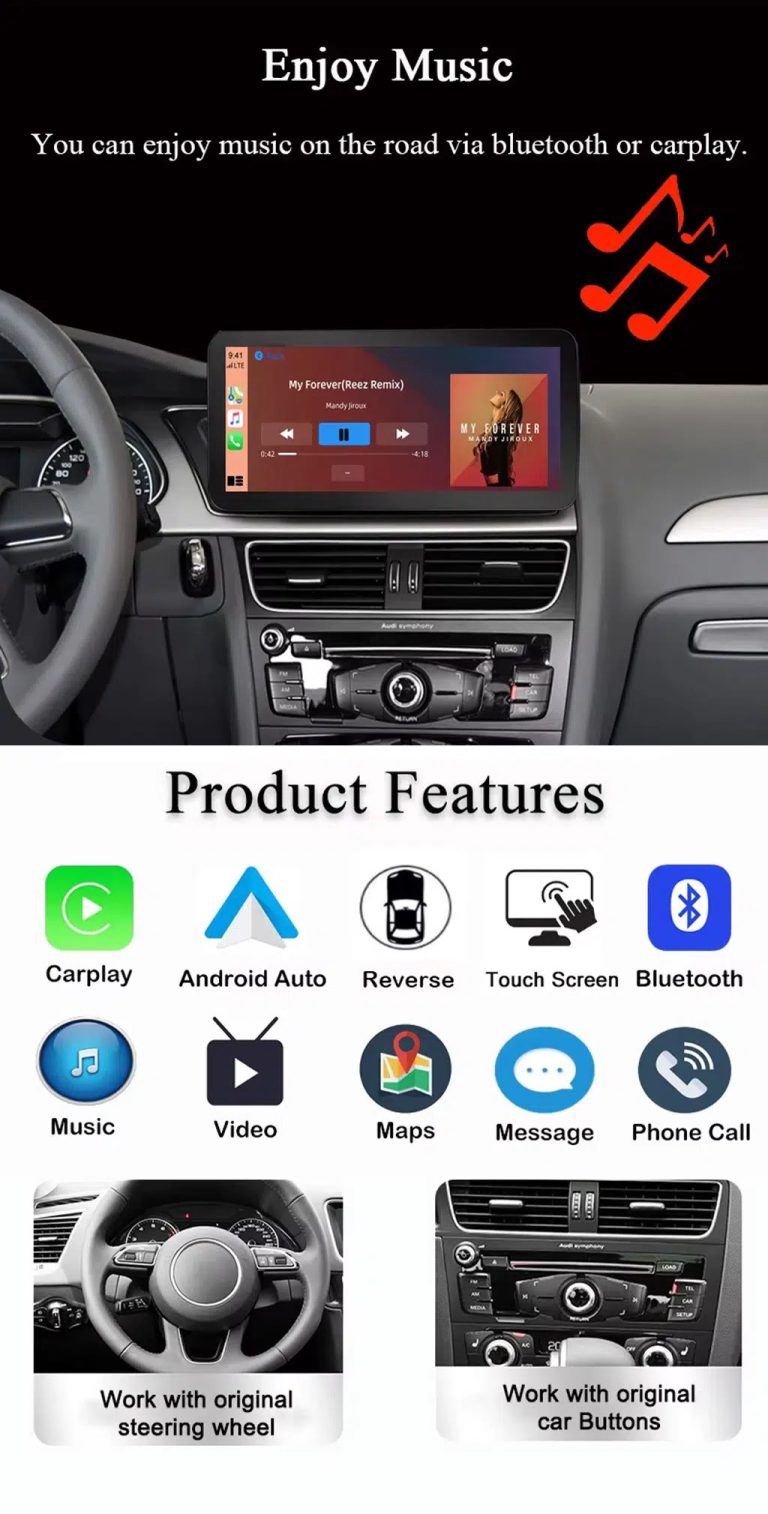
Use music, maps, calls and steering-wheel controls every day
The function overview explains the daily value of the upgrade: music, video, maps, messages, calls, touch operation and supported steering-wheel control.
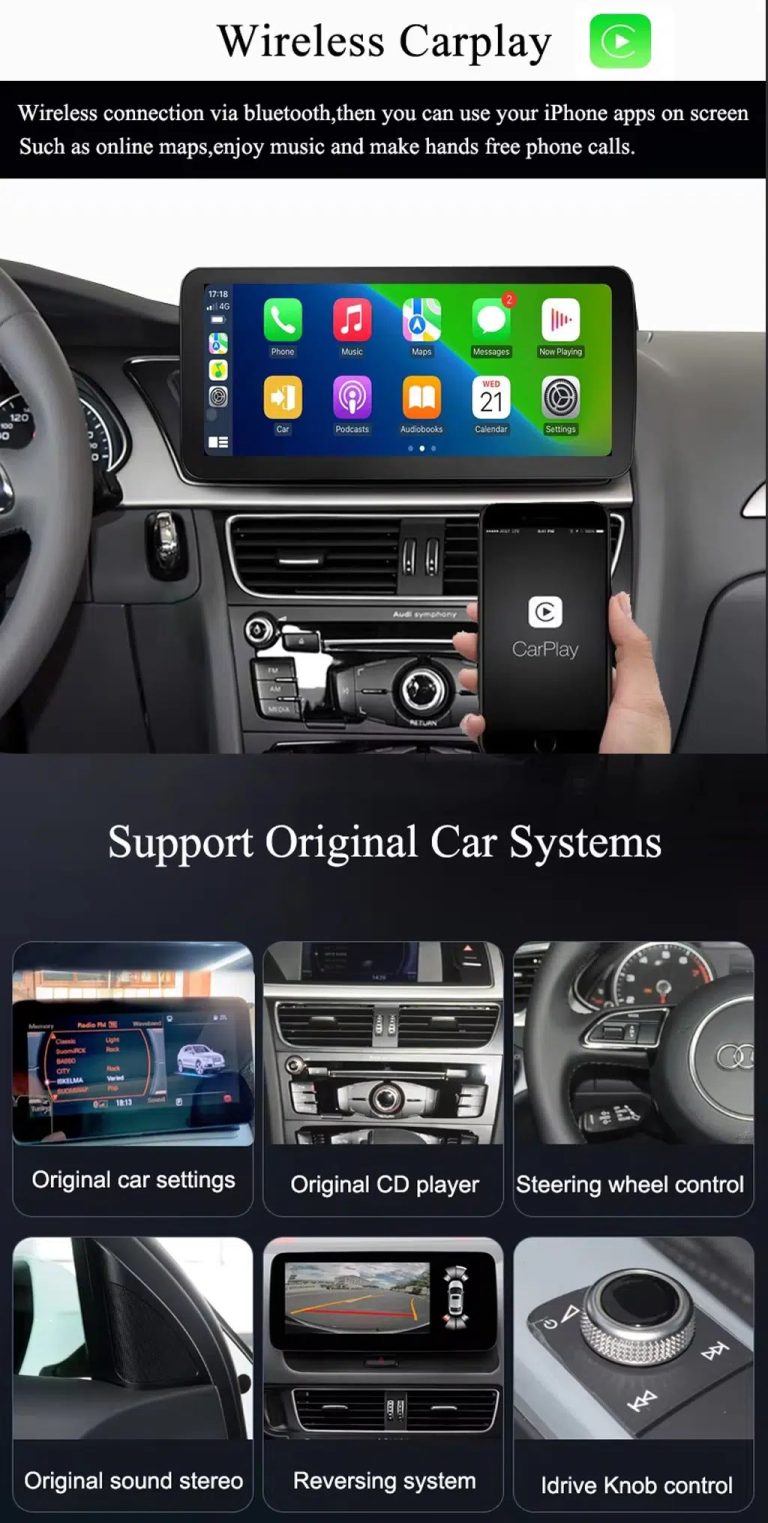
Use wireless CarPlay while keeping supported original car systems
This visual combines wireless CarPlay with original-system value, helping buyers understand that this is more than a simple screen swap.
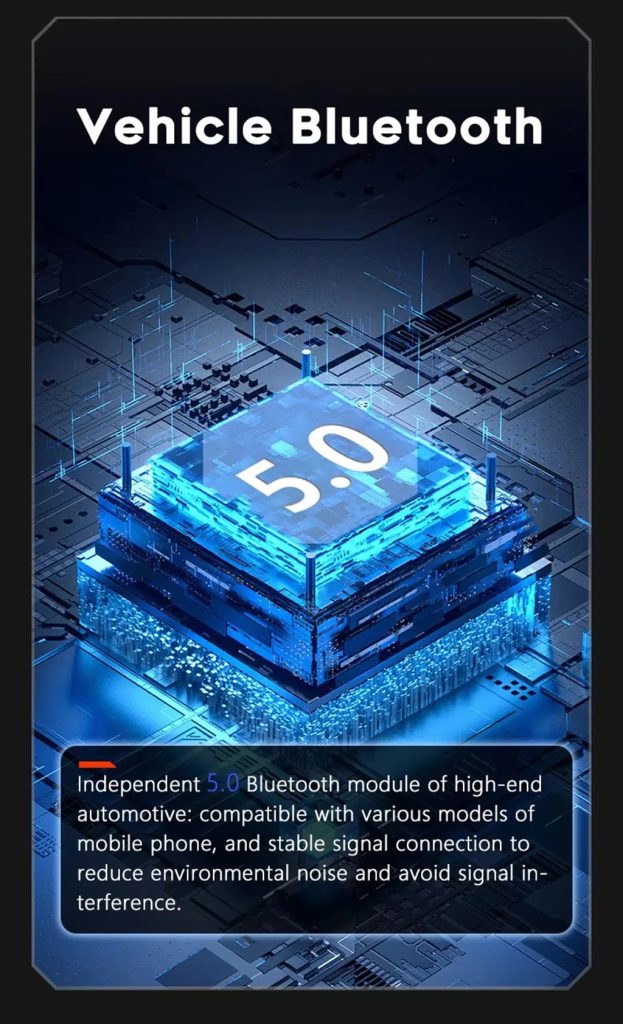
Improve Bluetooth connection on supported hardware
Bluetooth version depends on the selected hardware route, but the upgrade direction supports more practical phone and media connection than relying only on old factory behavior.
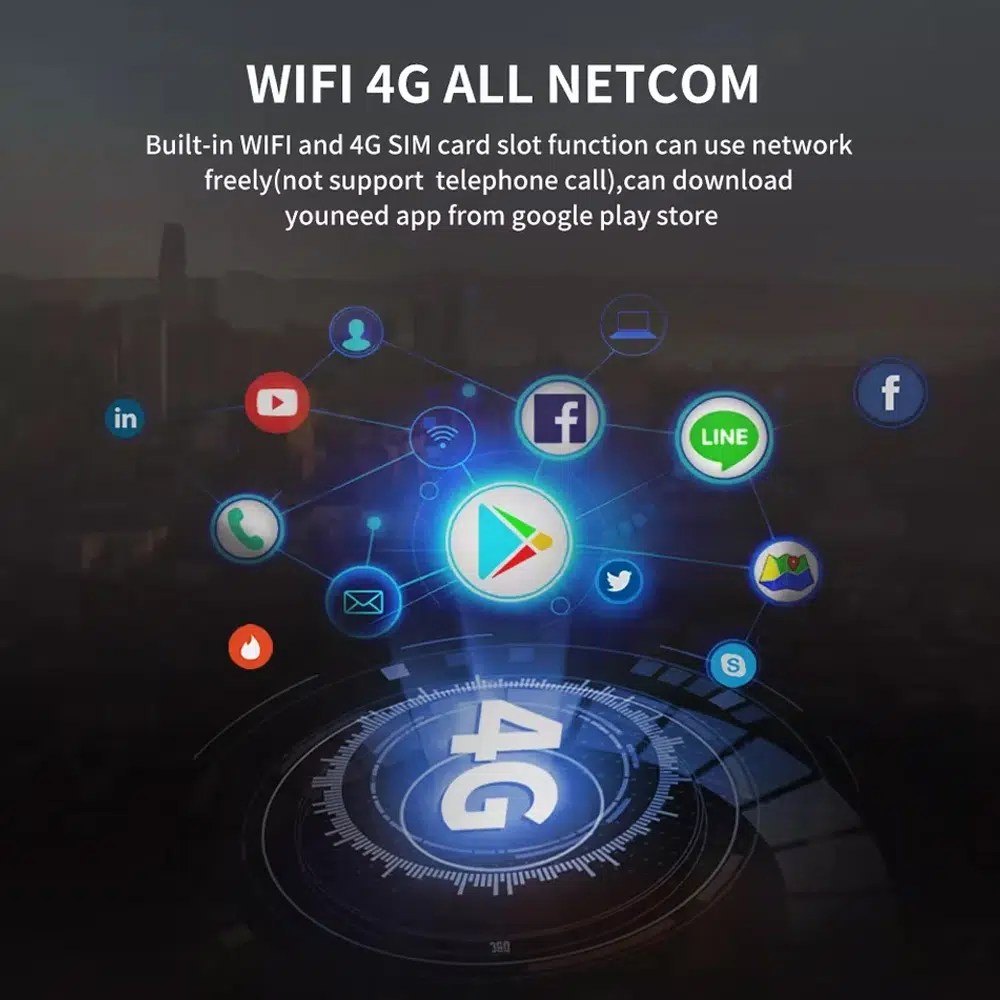
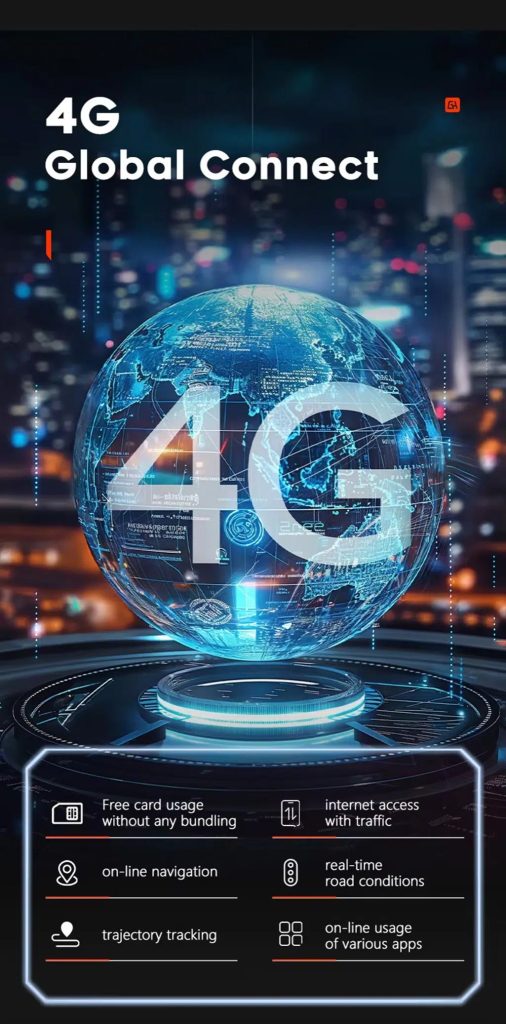
Use WiFi and 4G for apps and online navigation
WiFi og kompatibel 4G understøtter onlinekort, download af apps og tilsluttede Android-funktioner, hvor det lokale netværk og den valgte hardware tillader det.
Use 4G network features where local service allows
Online navigation, traffic information and app access depend on compatible network service, SIM support and selected hardware configuration.
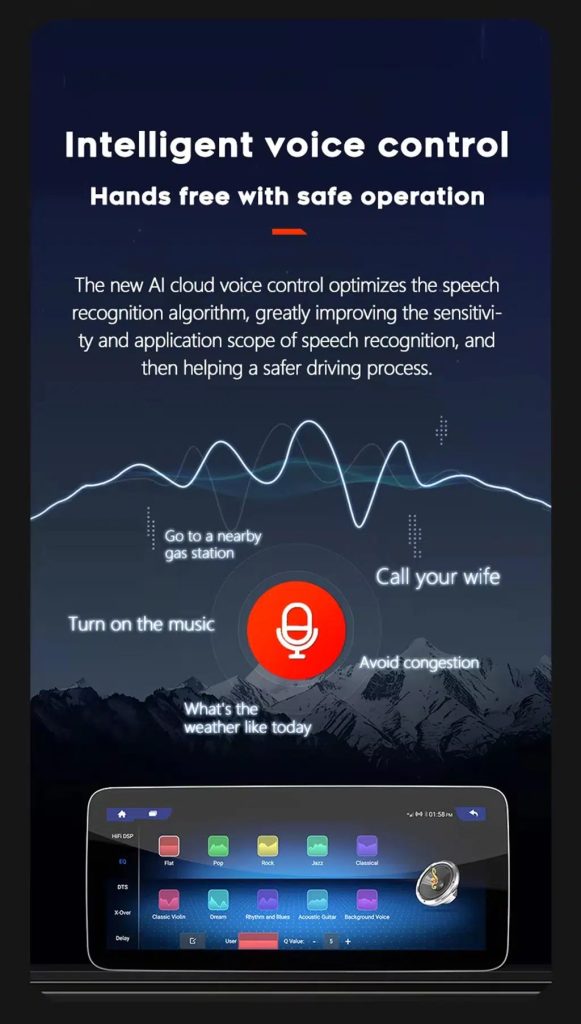
Use voice control with compatible apps
Voice control can make navigation, music and calls easier, but recognition depends on the app, microphone, language, internet connection and phone compatibility.
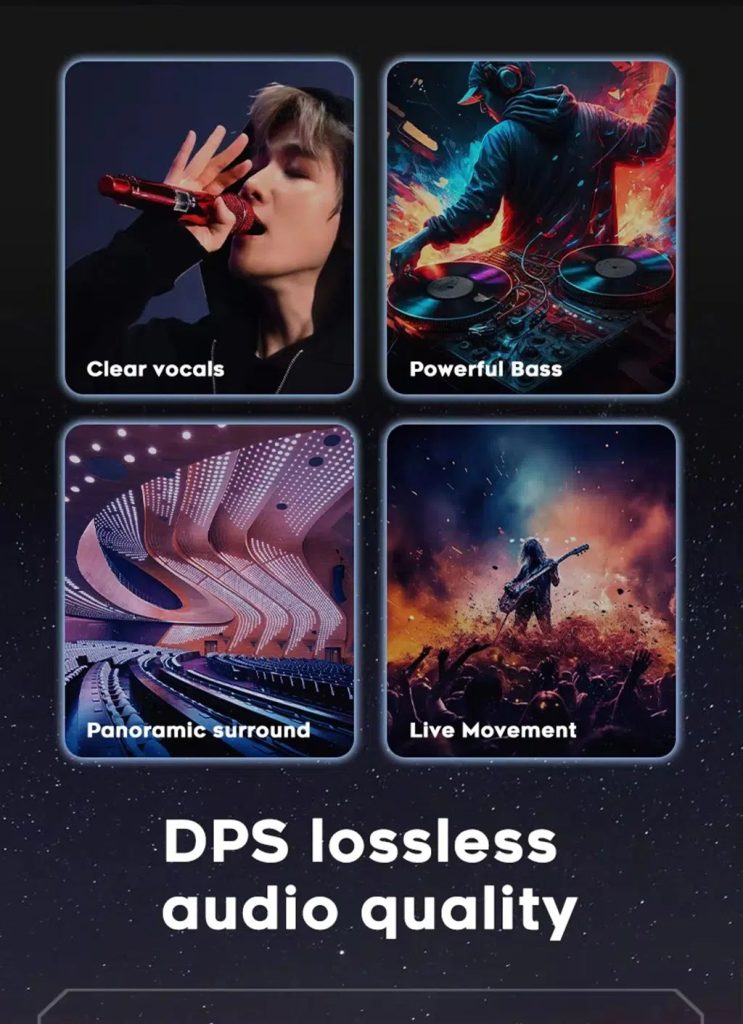
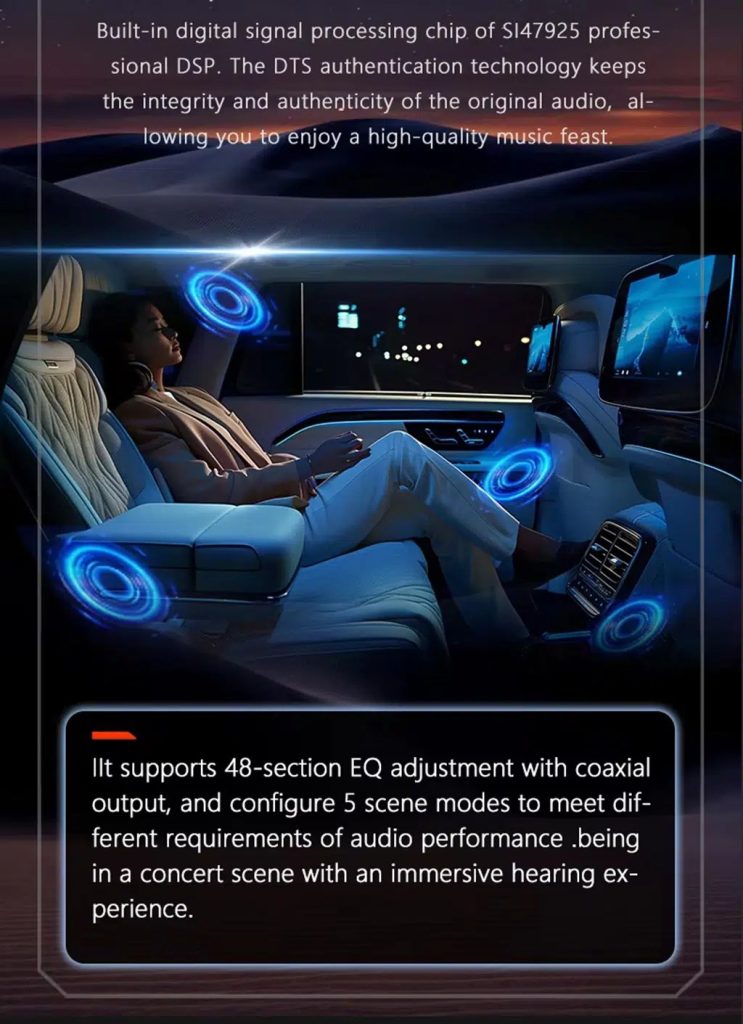
Tune the audio with DSP where supported
DSP helps tune vocals, bass, surround feeling and sound staging when the selected hardware version includes the supported DSP route.
Review multimedia and DSP function direction
This additional media reference helps buyers understand the entertainment and equalizer direction before choosing the hardware version.
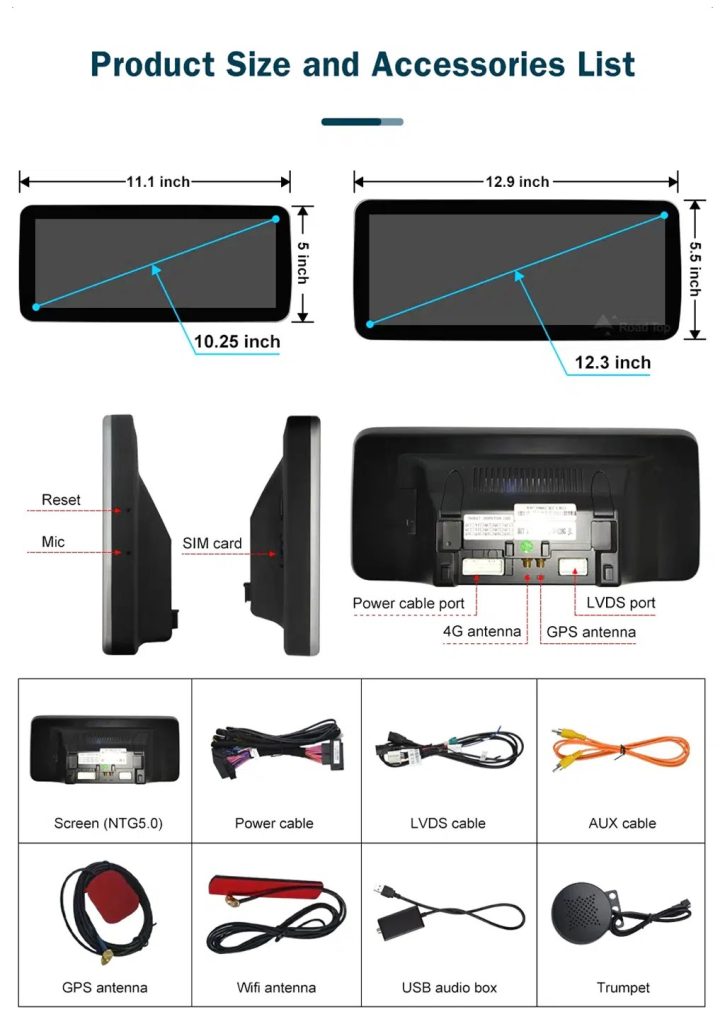
Check product size, rear ports and accessories
The accessory view helps installers understand the screen size, rear connection area, LVDS, power cable, AUX cable, GPS antenna, WiFi antenna, USB audio box and other included parts.
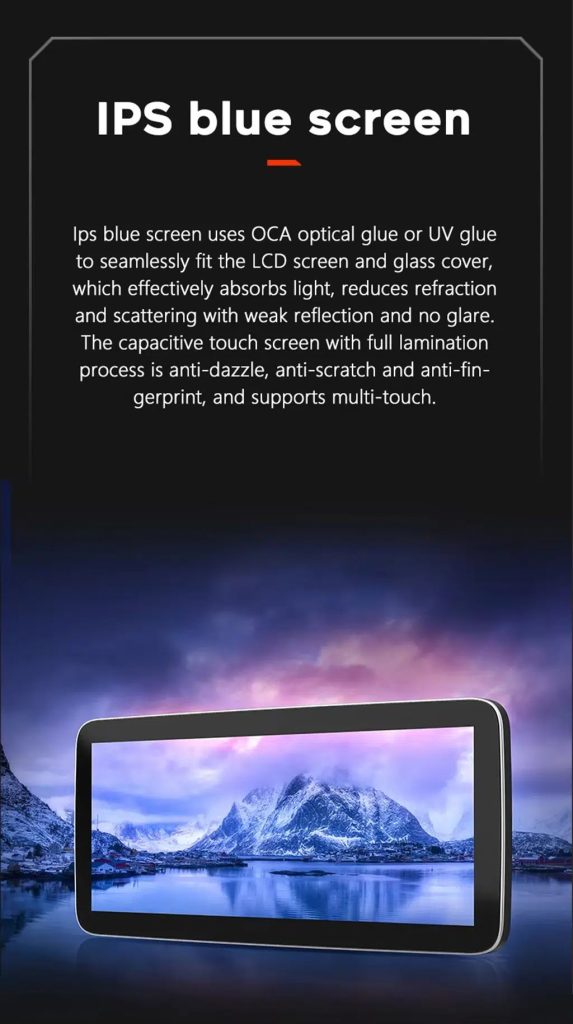
Understand the IPS blue screen display direction
The display construction direction supports a clearer and more comfortable in-car touch experience for daily map, media and menu use.
Review the product gallery before-and-after reference
This gallery view gives another quick reference for the original Q7 display before installation and the wider Android interface after installation.
Confirm another installed dashboard angle
Dette billedgalleri viser enheden monteret i Q7’s instrumentbræt med et moderne brugergrænseflade, hvilket gør det lettere for køberne at vurdere det endelige visuelle helhedsindtryk.
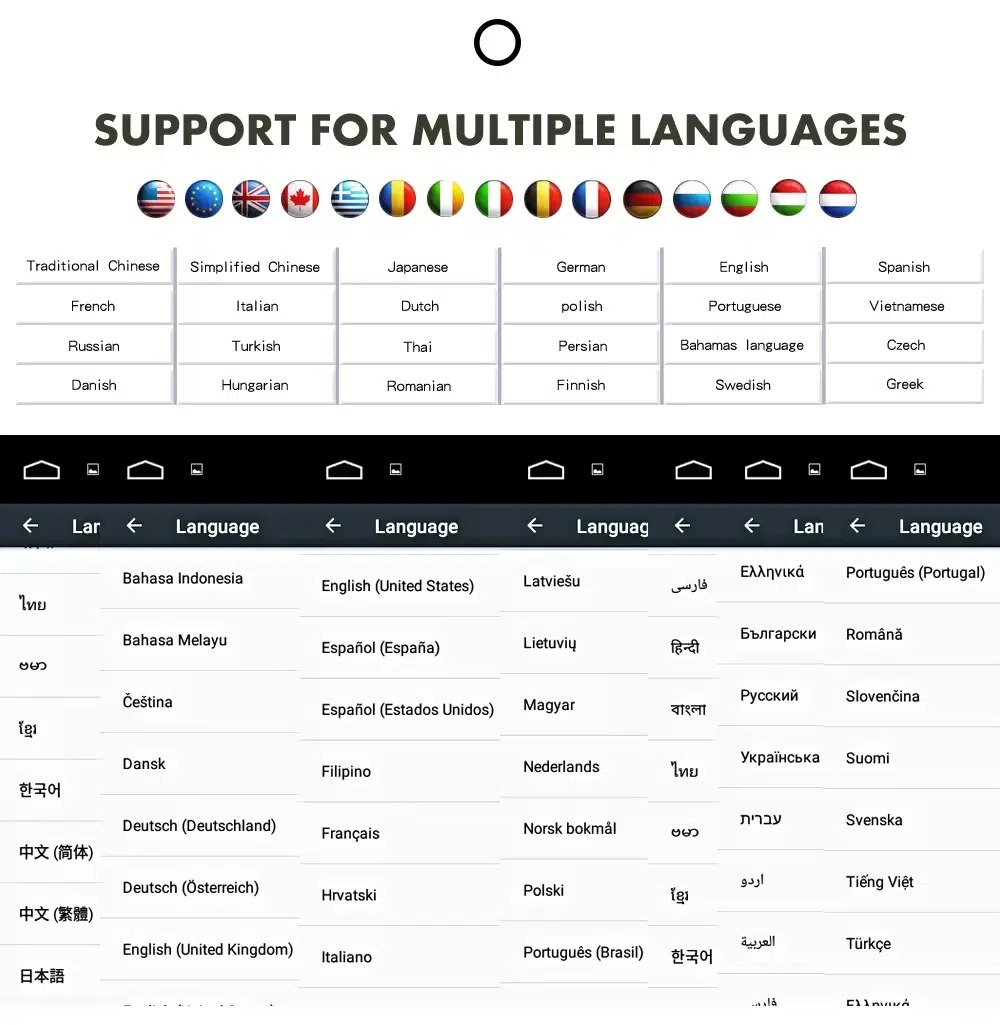
Use the Android interface in multiple languages
Understøttelse af flere sprog gør det lettere for internationale ejere og installatører at bruge Android-brugergrænsefladen på et sprog, de kender. Den endelige tilgængelighed afhænger af firmware- og appindstillingerne.
Common interface languages include English, German, French, Spanish, Italian, Portuguese, Dutch, Russian, Arabic, Japanese and Chinese, depending on firmware and app settings.
Installation Route for the Audi Q7 10.25 Android Screen Upgrade
Bilgennemgang
Indsend oplysninger om årgang, billeder af instrumentbrættet, ratplacering og det originale lydanlæg.
Konfigurationssammenligning
iKAGOO kontrollerer rammen, ledningsnettet, CAN-dekoderen, forstærkeren og kravene til fiberoptikken.
Forberedelse før afsendelse
Android-enheden og det tilhørende tilbehør er klargjort til den bekræftede bilkonfiguration.
Hjælp til installation
Der findes vejledning til kabelføring, konfiguration og test af understøttede funktioner.
Main work required
- Kontroller instrumentbrættets årgang, CD-panelet, MMI-systemet og rattet før afsendelse.
- Kontroller, om bilen har Bose, en ekstern forstærker eller MOST-fiberoptik.
- Fjern forsigtigt det oprindelige rudeområde og den nødvendige instrumentbrætbeklædning.
- Tilslut det passende strømkabel, CAN-dekoderen, LVDS/videokablet og lydadapteren.
- Installer en fiberoptisk dekoder, når det er nødvendigt.
- Connect GPS, USB, camera, microphone and WiFi/4G accessories according to selected configuration.
- Tænd for strømmen, inden den endelige samling foretages.
- Test af skift mellem originale menuer, CarPlay, Android Auto, lyd, betjeningsknapper på rattet, kameraer, Bluetooth, GPS samt døs/vågn-funktion.
Stop installation and contact iKAGOO if this happens
- Skærmrammen passer ikke til åbningen i instrumentbrættet.
- Stikkets form eller benplaceringen passer tydeligvis ikke til det medfølgende ledningsnet.
- Bilen er udstyret med Bose/MOST-fiberoptik, men der er ingen bekræftet dekoderforbindelse.
- Der kommer ingen lyd fra højttalerne efter tændingstesten.
- Der er ikke længere adgang til den oprindelige MMI-menu efter tilslutningen.
- Et fiberoptisk kabel er bøjet kraftigt, blevet klemt eller er blevet efterladt uden forbindelse.
- En stikben er bøjet, løs eller beskadiget.
- A fuse blows repeatedly, or abnormal heat, smell or smoke appears.
- Installationen vil kræve, at fabrikens hovedledningsnet skæres over.
Hvad der normalt er inkluderet
Android-skærm
Køretøjsspecifik skærm med den valgte Android-hardwarekonfiguration.
Ledningsnet
Strøm-, signal- og integrationsledninger valgt i henhold til det bekræftede køretøj.
CAN-dekoder
Kompatibel dekoder til understøttede ratbetjeninger og integration af køretøjsoplysninger.
GPS-antenne
Ekstern GPS-antenne til understøttede Android-navigationsfunktioner.
USB-tilslutninger
USB-udvidelsesporte til kompatible medier, tilbehør og softwareopdateringer.
Valgfrie adaptere
Fiberoptisk dekoder, kamerainterface, AMI-kabel eller andre adaptere, hvis det viser sig nødvendigt.
Indholdet af pakken varierer afhængigt af den valgte version og den bekræftede bilkonfiguration. De endelige ordreoplysninger bør kontrolleres inden afsendelse.
Forsendelse, garanti og kundeservice
Ordreforberedelse
Den normale ordrebehandlingstid er normalt 1–3 hverdage, efter at din bilkonfiguration er blevet godkendt.
Sporbar international forsendelse
Internationale forsendelser kan spores. Den forventede leveringstid afhænger af destinationen, toldbehandlingen og den forsendelsesmetode, der vælges ved kassen.
12 måneders hardwaregaranti
Problemer med hardware, der er omfattet af garantien, håndteres i henhold til iKAGOO’s begrænsede garanti. Skader som følge af forkert tilslutning, forkert brug, vandindtrængning eller uautoriserede ændringer er normalt ikke dækket.
Vehicle-specific products require accurate vehicle information before shipment. If iKAGOO confirmed compatibility before purchase, your information was accurate, and no reasonable installation solution is available after supported troubleshooting, the current published return and refund policy applies.
Politik for returnering og tilbagebetaling · Garantibetingelser · Forsendelsespolitik
Audi Q7 10.25 Android Screen Upgrade FAQ
Is this Audi Q7 10.25 Android screen upgrade for every Q7 from 2006 to 2015?
Er dette produkt kompatibelt med en Audi Q7 fra 2005?
Understøtter den trådløs CarPlay og Android Auto?
Vil det oprindelige Audi MMI-menu stadig fungere?
Vil Bose eller fabriksforstærkeren stadig fungere?
Does every Audi Q7 need a fiber optic decoder?
Kan det originale bagkamera bevares?
Does it work with left-hand-drive and right-hand-drive Q7 vehicles?
Er installationen plug-and-play?
Hvad skal jeg sende, inden jeg bestiller?
Giv din Audi Q7 4L et moderne look igen
Choose this Audi Q7 10.25 Android screen upgrade if you want a factory-style display route, wireless CarPlay, Android Auto, GPS navigation, DSP audio and iKAGOO configuration matching for your dashboard, MMI and audio system.
Related Q7 upgrade: Audi Q7 Digital klynge


Anmeldelser
Der er endnu ingen anmeldelser.