
















Standard for bevarelse af fabriksindstillinger ved opgradering af hovedenhed og digitalt instrumentpanel
How iKAGOO verifies which original vehicle functions remain after an upgrade.
Den iKAGOO factory function retention standard is the central public rule used to evaluate original system access, steering-wheel and factory controls, cameras and parking systems, factory audio, vehicle data, warning information and vehicle-specific integration after an Android head unit, digital instrument cluster, factory display replacement or dual-screen cockpit upgrade.
Hurtigt svar: iKAGOO does not use “retains all original functions” as a blanket sales promise. Each public conclusion must identify the vehicle baseline, reviewed iKAGOO product configuration, relevant factory functions, evidence level, known conditions and unresolved items. When critical information is missing, the correct public result is Compatibility Review Required.
Important application boundary: this public standard and every product-level factory function retention conclusion apply only to products supplied by iKAGOO through ikagoo.com or another sales channel expressly identified by iKAGOO. The conclusion is limited to the exact reviewed product version, display panel and internal hardware, harness and pinout standard, CANBUS or interface vendor and firmware, required decoder or integration modules, and the confirmed vehicle baseline.
Do not transfer the result to another seller’s product. A product from the same manufacturing source, with the same case design or using similar listing images may still use a different screen panel, mainboard revision, wiring standard, CANBUS box, firmware, camera decoder, audio interface or quality-control process. iKAGOO cannot verify or accept responsibility for compatibility, function retention, installation results, warranty or support for products purchased through non-iKAGOO channels.
- Android-hovedenheder
- Digitale instrumentgrupper
- Factory display replacements
- Opgraderinger til cockpittet med to skærme
- Original controls and cameras
- CANBUS and MOST integration
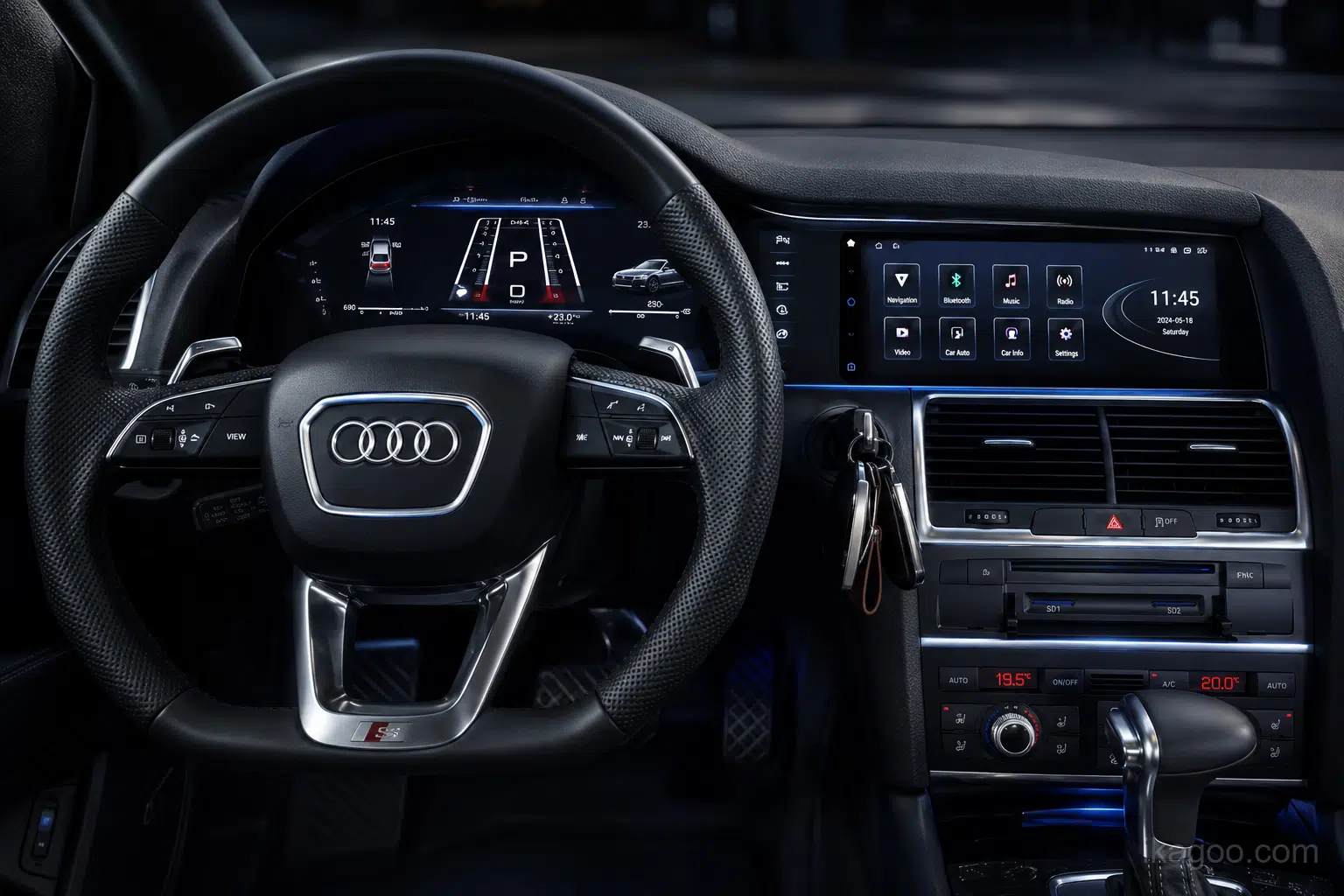
Which factory functions stay working after head unit and digital cluster upgrades?
Most relevant factory functions can remain available, but not every part will look or operate exactly as before.
iKAGOO counts a function as retained when its essential purpose still works after installation. Before ordering, a head unit compatibility check or digital instrument cluster compatibility review should confirm the original system, steering-wheel controls, factory reverse camera, 360° camera, parking sensors, factory amplifier, vehicle settings, climate functions and critical driving data. Retention may continue through the original system, a new screen menu, remapped controls, CANBUS support, a MOST fiber-optic adapter, a camera decoder or another vehicle-specific integration route.
We do not use “100% retains all factory functions.” The exact answer depends on the product, vehicle year, original system, audio system, cameras, controls and existing configuration.
The answer also depends on the supplied product route. An iKAGOO conclusion is valid only for the iKAGOO-supplied hardware, screen, harness, CANBUS or interface modules and reviewed vehicle baseline named in the product record. It is not a transferable approval for another seller’s product.
The four possible answers
- Retained: the core purpose remains available.
- Retained with Additional Support: an adapter or module is required.
- Compatibility Review Required: the result depends on the original configuration.
- Not Retained: the core purpose is confirmed unavailable.
Why this boundary matters: two products can look identical in photographs but produce different compatibility, display quality, control behavior, camera support, audio integration and long-term reliability. The retention conclusion follows the complete reviewed configuration—not the exterior appearance or a generic factory claim.
Why a similar-looking product may not produce the same result
Panel, touch layer and internal board
Panel supplier, resolution, brightness, viewing angle, touch controller, mainboard revision, memory and storage can change between suppliers or production batches.
Connectors, pinout and signal routing
Connector shape alone does not prove the same pin assignment, wire quality, shielding, LVDS route, microphone path, USB route or original-module integration.
Vendor, vehicle profile and firmware
Different CANBUS suppliers, box versions and firmware profiles can change steering controls, climate pages, parking graphics, vehicle settings and warning behavior.
Camera, audio and fiber integration
Factory cameras, 360° systems, premium amplifiers and MOST fiber networks may depend on a specific decoder or interface module included in the reviewed package.
Manufacturing batch and silent changes
A supplier may change a screen, mainboard, cable, decoder or firmware without changing the external appearance. A previous result must be reviewed when the route changes.
Vehicle matching and accountable support
The iKAGOO result includes the reviewed vehicle baseline, selected configuration, required modules, disclosed limitations and support responsibility for the supplied route.
Non-transfer rule: an iKAGOO factory function retention result must not be copied to, quoted as proof for or used to approve a product purchased from another seller, marketplace or non-iKAGOO channel.
Model and year alone may not be enough. A compatibility review before ordering should confirm the factory screen, infotainment version, steering position, amplifier, camera and control type so the correct vehicle-specific head unit, digital cluster or dual-screen route is selected.
Only products marked Factory System Retained: Yes have confirmed access to the original factory interface.
They may work directly, require button learning, use changed long-press logic or move selected functions to the touchscreen.
These are checked separately. Some routes retain them directly; others require CANBUS, a decoder or a configuration-specific interface.
Standard audio may be direct. BOSE, B&O, Harman Kardon and MOST fiber-optic systems may need additional support.
Critical driving data and warnings must be supported by vehicle-specific testing or documented configuration verification before they are marked retained.
This is not automatic. It can depend on the head unit, video-output route, converter, software version or vehicle communication architecture.
Vehicle-specific connectors may reduce wiring changes, but installation can still require trim removal, module transfer, fiber routing, controller relocation, coding or professional testing.
We separately score dashboard fit, original design inheritance, factory-style UI and the completed installed appearance.
Startup, system response, speed and warning readability, day/night brightness, glare and control effort are included in the evaluation.
Which questions matter for each type of iKAGOO upgrade?
The standard is unified, but the buyer questions are different. A digital cluster cannot be judged using only an Android-head-unit checklist, and a dual-screen system must be checked across both displays.
| Købers spørgsmål | Android head unit / display | Digitalt instrumentpanel | Dual-screen / integrated cockpit |
|---|---|---|---|
| Exact vehicle and original-system fit | Påkrævet | Påkrævet | Required for both screens |
| Factory system switching | Core question when the vehicle has a separate factory system | Usually not the main cluster question | Must be checked with the center-screen route |
| Steering-wheel and factory-controller retention | Core question | Core for page/menu control | Must work across both systems |
| Reverse camera, 360° and radar | Core question | Only when cluster integration affects display or prompts | Core cross-screen question |
| Factory amplifier, speakers and MOST | Core question | Normally N/A unless linked to integrated system | Core when center audio route changes |
| Speed, rpm, fuel, gear and temperature | Supporting vehicle-data display only | Core verified data | Core cluster-side data |
| Mileage, trip, warnings, TPMS and ADAS | Only relevant pages | Core safety and information question | Core cluster-side verification |
| CarPlay / Android Auto / navigation | Core feature question; upgrade necessity is assessed separately | Map display requires separate confirmation | Check center use and cluster display separately |
| Hardware transfer, coding or additional modules | Possible | Common on some routes | More likely due to combined hardware |
| Vehicle-specific integration and final usability | Påkrævet | Påkrævet | Required across the complete cockpit route |
Compatibility review normally uses: vehicle make, model, year, steering position, original dashboard or system photos and the factory functions the customer wants to retain. VIN and connector photos are not routine requirements; connector photos are useful when available. The resulting conclusion validates only the identified iKAGOO-supplied product route and cannot be transferred to a product purchased from another seller.
High-intent compatibility checks for head units, digital clusters and dual-screen upgrades
This is the decision stage where a buyer should confirm whether the selected iKAGOO product fits the exact vehicle and whether the required factory functions can be retained. It applies to OEM-style Android head units, vehicle-specific digital instrument cluster upgrades and integrated dual-screen cockpit systems.
Head unit compatibility check
Confirm the original infotainment system, screen type, steering position, controller, factory camera, parking sensors, amplifier and vehicle settings before selecting an Android head unit.
Digital instrument cluster compatibility
Confirm speed, rpm, fuel level, coolant temperature, gear position, mileage, trip data, warning lights, TPMS, ADAS prompts and steering-wheel menu controls.
Retain steering-wheel controls
Check whether the buttons work directly, require CANBUS or button learning, or use changed short-press and long-press assignments after the upgrade.
Retain factory reverse camera and 360°
Confirm the original camera type, automatic trigger, dynamic guidelines, 360° views, parking-sensor display and whether a vehicle-specific camera decoder is required.
Retain the factory amplifier
Confirm whether the vehicle uses standard audio, BOSE, Bang & Olufsen, Harman Kardon or another MOST fiber-optic system that may need an amplifier interface.
Factory system retained
For BMW, Mercedes-Benz, Audi and other vehicles with a separate factory infotainment system, confirm whether the original interface can still be entered and used after installation.
Factory vehicle settings and climate retention
Check whether vehicle settings, climate information, warning sounds, radar pages and related controls remain in the original system or move to a CANBUS-generated screen.
CarPlay map display on a digital cluster
Confirm the actual head-unit video output, cluster input, converter route and software support. CarPlay on the center display does not automatically mean maps can appear in the cluster.
Plug-and-play installation compatibility
Vehicle-specific connectors reduce wiring changes, but installation may still require trim removal, hardware transfer, coding, CANBUS setup, MOST fiber handling or professional testing.
Typical purchase-intent questions covered by this standard: retain factory functions after a head unit upgrade, retain steering-wheel controls, retain the factory reverse camera, retain the factory amplifier, digital cluster warning-light compatibility, digital cluster mileage retention, CANBUS support for factory functions, MOST fiber-optic adapter requirements and dual-screen cockpit upgrade compatibility.
Request a compatibility review before ordering
Use the iKAGOO compatibility review when the original system, amplifier, camera, controller, instrument configuration or installation route is uncertain. This is especially important for vehicle-specific upgrades for BMW, Mercedes-Benz, Audi, Porsche, Volkswagen, Jeep, Nissan and other supported models.
What the iKAGOO factory function retention standard reviews
The public standard uses six review areas so buyers can see which parts of the original vehicle experience were actually checked. The areas are not interchangeable, and a strong result in one area cannot hide an unresolved critical function in another.
Factory-System Access
Checks whether the original infotainment interface, vehicle settings, climate pages, service information and other required factory menus remain accessible and usable.
Original Controls
Checks steering-wheel buttons, iDrive, COMAND, MMI, rotary knobs, touchpads, stalk controls and any physical controls affected by the upgrade.
Camera & Parking Systems
Checks reverse-camera trigger and image, 360° views, dynamic guidelines, front camera, parking-sensor graphics, radar overlays and related switching behavior.
Audio & Communication
Checks factory speakers and amplifier path, MOST fiber integration, warning chimes, microphone, Bluetooth, radio, AUX and USB function routes.
Driving Data & Warnings
Checks speed, rpm, fuel, temperature, gear, mileage, trip data, TPMS, ADAS prompts and applicable warning indicators, especially for digital clusters.
Vehicle-Specific Integration
Checks CANBUS communication, sleep and wake behavior, illumination, time and date, regional configuration, left- or right-hand drive differences and cross-screen coordination.
Critical-function rule: a high overall retention index cannot override an unresolved airbag, ABS, brake, engine, temperature, gear, camera, primary audio or required control issue. Critical uncertainty must remain visible as a limitation or Compatibility Review Required.
What is evaluated separately
Installation effort, coding, trim removal, cable routing and installer skill are evaluated under the iKAGOO Car Electronics Installation Difficulty Standard.
What is not hidden inside retention
Whether an upgrade is worthwhile for a particular owner is evaluated under the separate iKAGOO upgrade necessity framework. More features do not compensate for lost factory usability.
How iKAGOO reaches a product-specific factory function retention conclusion
The public process is transparent enough for a buyer to understand the conclusion, but it does not expose product-specific internal weighting, configuration files or acceptance records that could be misapplied to another route.
Define the vehicle baseline
Record the vehicle, year range, steering position, original infotainment or cluster system, audio architecture, camera system and any known previous modification.
Build the applicable checklist
Select only the functions relevant to that product route. A head unit, digital cluster and dual-screen system do not use an identical checklist.
Identify the retention route
Determine whether each function remains direct, moves to a new menu, uses remapped controls, needs CANBUS, MOST, a camera decoder or another disclosed module.
Check evidence and limitations
Compare installation evidence, technical documentation and support findings. Contradictions, missing critical checks and configuration differences reduce certainty.
Publish the buyer-facing result
Show the status, applicable vehicle and product scope, retained functions, conditional functions, unresolved items, evidence level, review date and required pre-order confirmation.
Review after material changes
A new mainboard, harness, CANBUS box, decoder, display, firmware or vehicle baseline can change the result. Previous findings should not be carried forward automatically.
Public transparency boundary: buyers see what was checked, the evidence basis and the known limitations. Exact internal item weights, firmware settings, wiring decisions, supplier references, fault-resolution records and model-specific acceptance sheets remain part of the iKAGOO reviewed configuration.
How factory function retention results should appear on iKAGOO product pages
The buyer-facing status is more important than a percentage. An optional retention index may summarize a sufficiently evidenced route, but it must never replace the itemized functions, conditions and limitations.
The relevant function is available for the stated vehicle baseline and reviewed iKAGOO configuration without an undisclosed dependency.
A verified CANBUS route, MOST interface, camera decoder, remapping, hardware transfer or other support is required and stated before ordering.
The result depends on the factory system, amplifier, camera, controller, regional configuration, existing modification or product version.
The relevant function is confirmed unavailable or replaced by a materially different route that cannot reasonably be described as retention.
90–99: Strong retention
May be published only when evidence is sufficient, no critical blocker is unresolved and meaningful changes or required modules remain clearly disclosed.
80–89: Conditional retention
Important factory use remains, but the buyer should expect changed controls, additional modules, unsupported secondary items or a configuration limitation.
Below 80 or insufficient evidence
No promotional grade should be used. The product page should rely on itemized status, limitations and Compatibility Review Required where appropriate.
A percentage is not a probability and not a claim that the same percentage of physical components remains unchanged. It is an iKAGOO product-route summary that is valid only together with the stated scope, evidence level and disclosed exceptions.
What must be checked and disclosed in each review area
These public criteria show buyers the substance behind the standard without publishing the internal item weights or product-specific acceptance sheets. Not every row applies to every product, but every relevant critical row must be addressed.
1. Factory-System Access
Whether original menus and vehicle functions remain practically reachable.
| Review item | What counts as retained | What must be disclosed | What prevents a confident result |
|---|---|---|---|
| Original interface access | The factory system can still be entered and used through a stated switching route. | Switching method, delay, screen route and any required original module. | The module remains installed but the user cannot practically access the system. |
| Vehicle settings | Required settings remain available in the factory interface or a verified replacement page. | Which settings remain original and which move to a CANBUS-generated menu. | Important settings are missing, untested or falsely assumed from a generic menu. |
| Climate and status pages | Applicable climate information and control feedback remain usable. | Whether the route is original, overlaid, duplicated or moved to a new page. | The vehicle uses screen-based climate control and essential access is not verified. |
| Service and warning information | Applicable service information, warning text and required prompts remain visible or accessible. | Any reduced detail, changed page or unavailable historical information. | Required warning or service information is hidden or contradicted. |
2. Original Controls
Whether the driver can still operate the relevant functions with predictable controls.
| Review item | What counts as retained | What must be disclosed | What prevents a confident result |
|---|---|---|---|
| Steering-wheel buttons | Relevant volume, track, phone, voice, menu or page controls operate through a confirmed direct or mapped route. | Changed short-press, long-press, button learning or unsupported buttons. | Only a generic CANBUS claim exists without route-specific confirmation. |
| Factory controller | iDrive, COMAND, MMI, rotary controller or touchpad performs the confirmed actions. | Differences between factory-system control and Android-interface control. | The controller is shown in the vehicle but functional response is not demonstrated. |
| Physical buttons and stalks | Required original functions remain on the original hardware or a clearly identified replacement route. | Any moved, removed, reused or reassigned button or board. | A control disappears with no usable replacement route. |
| Touchscreen replacement route | A moved function remains easy to find and use without unreasonable loss of access. | Where the function now lives and whether it requires additional steps. | The new route is hidden, unstable or unavailable during normal use. |
3. Camera & Parking Systems
Camera and parking functions must be checked separately rather than grouped under one “camera supported” claim.
| Review item | What counts as retained | What must be disclosed | What prevents a confident result |
|---|---|---|---|
| Reverse camera | Automatic trigger and usable image are confirmed for the stated original camera route. | Decoder, voltage adapter, format conversion or changed image behavior. | An aftermarket camera image is used to prove a factory-camera claim. |
| 360° surround view | The relevant views and switching behavior remain available through a verified route. | Missing view modes, changed controls, calibration or decoder requirement. | Reverse-camera success is treated as proof of full 360° retention. |
| Parking sensors and radar | Audible and applicable visual parking information remain available. | Whether graphics are original, CANBUS-generated, overlaid or simplified. | Only sound or only a generic graphic is shown when the original route contains more functions. |
| Guidelines and front camera | Dynamic guidelines or front-camera behavior remain where applicable and verified. | Static replacement lines, delayed switching or unavailable automatic behavior. | The function is claimed from a menu icon without in-vehicle operation. |
4. Audio & Communication
The original audio architecture determines whether retention is direct or requires an interface route.
| Review item | What counts as retained | What must be disclosed | What prevents a confident result |
|---|---|---|---|
| Factory speakers and amplifier | The supported speaker and amplifier route operates with the reviewed configuration. | Standard audio, BOSE, B&O, Harman Kardon, MOST or other architecture assumptions. | A standard-audio result is applied to a fiber-optic premium system. |
| MOST fiber integration | A verified interface route restores the required audio path and disclosed behavior. | Additional module, possible sound-setting differences and installation requirement. | The product has a fiber connector but the actual amplifier route is unverified. |
| Warning chimes and prompts | Applicable vehicle sounds remain through the original or a verified replacement path. | Changed source, tone, volume behavior or unavailable secondary sounds. | Primary warning sounds are untested. |
| Microphone, Bluetooth, radio, AUX and USB | The practical function remains available through the original hardware or a disclosed new route. | External microphone, new USB location, Android Bluetooth or replaced radio interface. | Retained function is confused with retention of the original physical port or module. |
5. Driving Data & Warnings
Digital cluster routes require the strongest discipline because missing or incorrect driving information cannot be averaged away.
| Review item | What counts as retained | What must be disclosed | What prevents a confident result |
|---|---|---|---|
| Speed, rpm, fuel, temperature and gear | Applicable data is stable, correctly scaled and responsive for the stated route. | Any setup, calibration, fuel-tank selection or unsupported secondary value. | A display image exists but data accuracy and live response are not verified. |
| Mileage, trip and service data | Supported data is read, transferred or configured through the stated route. | Transfer requirement, setup method, unsupported history or partial display. | The buyer may lose or misstate important mileage information. |
| Advarselslamper | Applicable airbag, ABS, engine, brake, seat-belt and other critical warnings are verified. | Any vehicle-specific warning not yet verified or represented differently. | Critical warning behavior remains unknown. |
| TPMS, ADAS and navigation prompts | The supported prompt route is confirmed for the vehicle and product version. | Unsupported graphic detail, regional difference, converter or software dependency. | Center-screen CarPlay is used as proof that navigation can appear in the cluster. |
6. Vehicle-Specific Integration
A function may work briefly but still fail the standard if the vehicle-specific integration is unstable or incorrectly scoped.
| Review item | What counts as retained | What must be disclosed | What prevents a confident result |
|---|---|---|---|
| CANBUS communication | Relevant vehicle messages and controls remain stable with the reviewed decoder and settings. | CANBUS version, vehicle selection requirement and known configuration boundary. | A generic box is shown without confirming the correct vehicle profile. |
| Sleep, wake and power behavior | The system starts, sleeps and shuts down without known battery or restart problems. | Expected boot behavior, delayed shutdown or required power setting. | Persistent battery drain, reboot or unstable wake behavior is unresolved. |
| Illumination, time, date and regional settings | Applicable synchronization and display behavior remain correct for the confirmed configuration. | Manual setup, regional difference or unsupported synchronization. | The product route is assumed to fit both LHD and RHD or all regions without confirmation. |
| Cross-screen coordination | Center display and digital cluster behave consistently where the product route links them. | Which screen controls media, maps, prompts and vehicle information. | One screen is verified while the linked behavior of the other remains unknown. |
What a trustworthy product-specific retention record should look like
The example below demonstrates the disclosure format. It is not a compatibility promise for every BMW F30, is not a substitute for checking the actual product page and vehicle configuration, and does not validate any non-iKAGOO product that appears similar.
Reviewed scope
- Køretøj: BMW 3 Series F30, 2013–2017
- Original system: NBT baseline
- Steering position: Left-hand drive
- Audio assumption: Standard audio
- Camera assumption: Fabriksmonteret bakkamera
- Product scope: Identified iKAGOO Android display, harness and CANBUS route
- Sales scope: Supplied directly by iKAGOO through ikagoo.com or an expressly identified iKAGOO sales channel
- Transferability: Not valid for products purchased from other sellers or third-party marketplaces
Excluded from this example: Harman Kardon, 360° camera, CIC, NBT EVO, previous aftermarket wiring and unconfirmed regional variants.
Evidence level: B — vehicle-specific evidence supported by technical records.
What remains available
Original NBT access, confirmed iDrive actions, supported steering-wheel controls, factory settings through the original interface and the reviewed standard-audio route.
What requires support
The factory camera route may require the identified decoder or configuration. The exact route must match the supplied iKAGOO package.
What still needs review
Premium fiber audio, 360° camera, non-NBT systems, HUD navigation projection and vehicles with previous aftermarket modifications.
Why this record is credible: it names the vehicle, product and sales scope; separates confirmed and unconfirmed items; states excluded configurations; and makes clear that the conclusion belongs only to the reviewed iKAGOO-supplied configuration rather than every visually similar screen or product claimed to come from the same factory.
What visual evidence can and cannot prove
Images should support a named claim. A completed cockpit image can prove installed appearance, but it cannot by itself prove controller response, camera switching, amplifier integration or warning-light behavior.
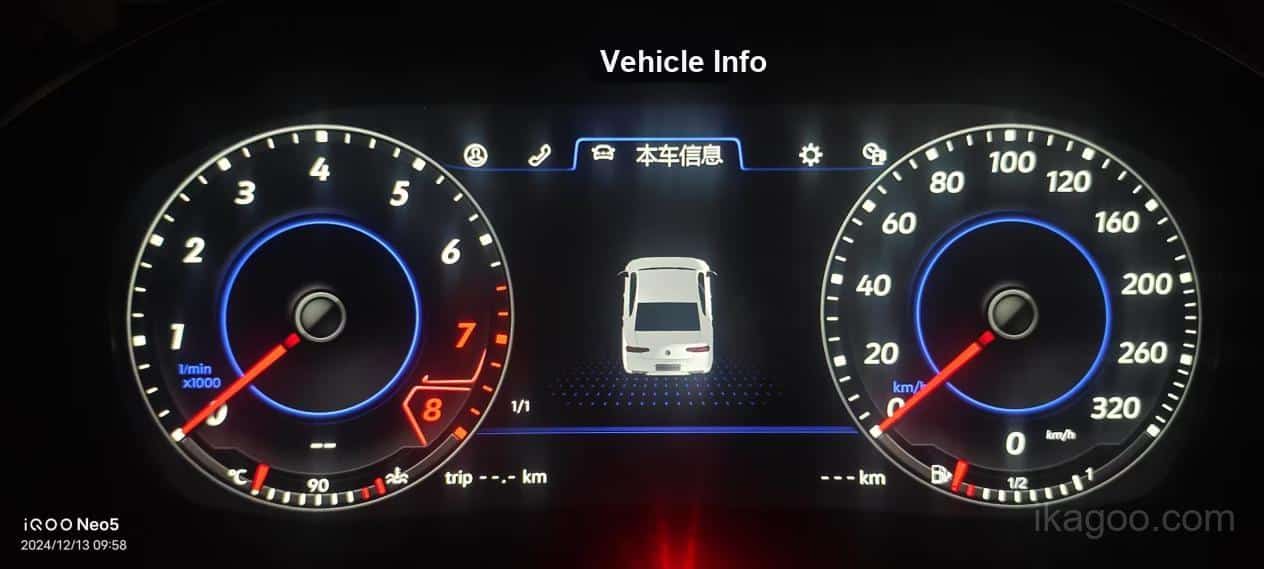
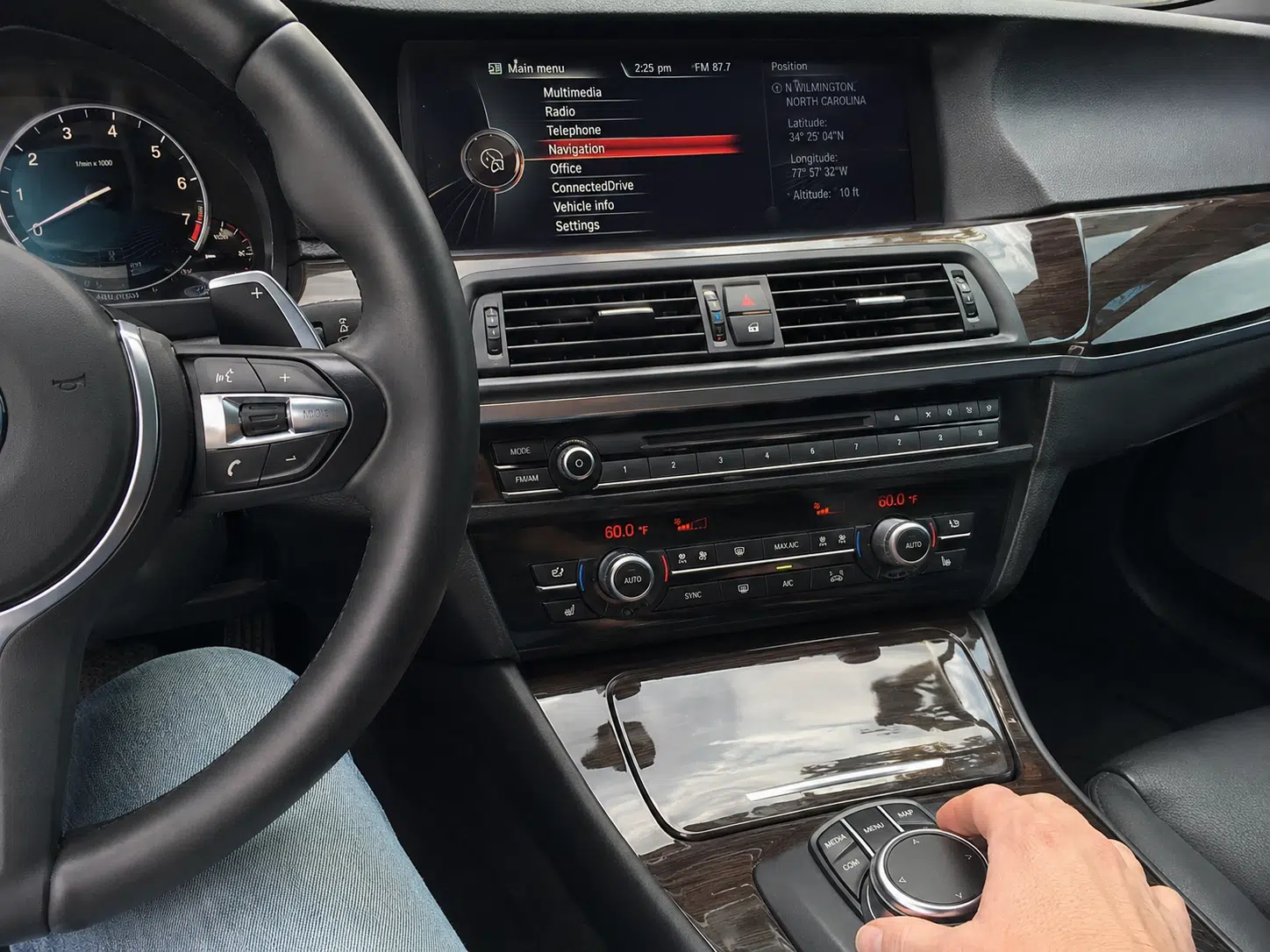
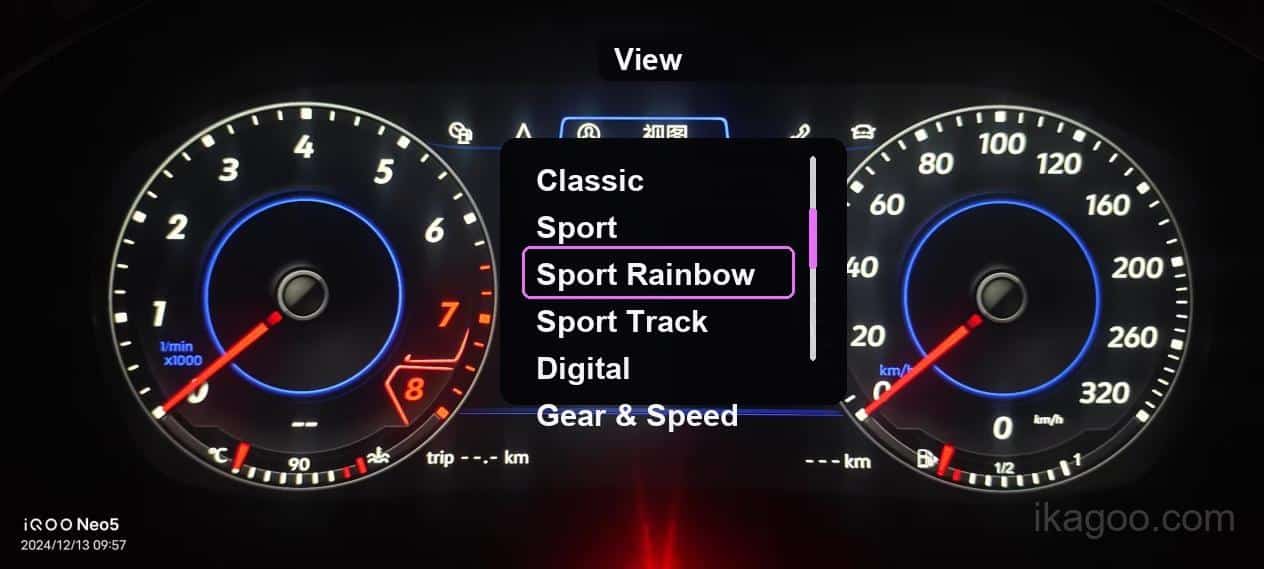
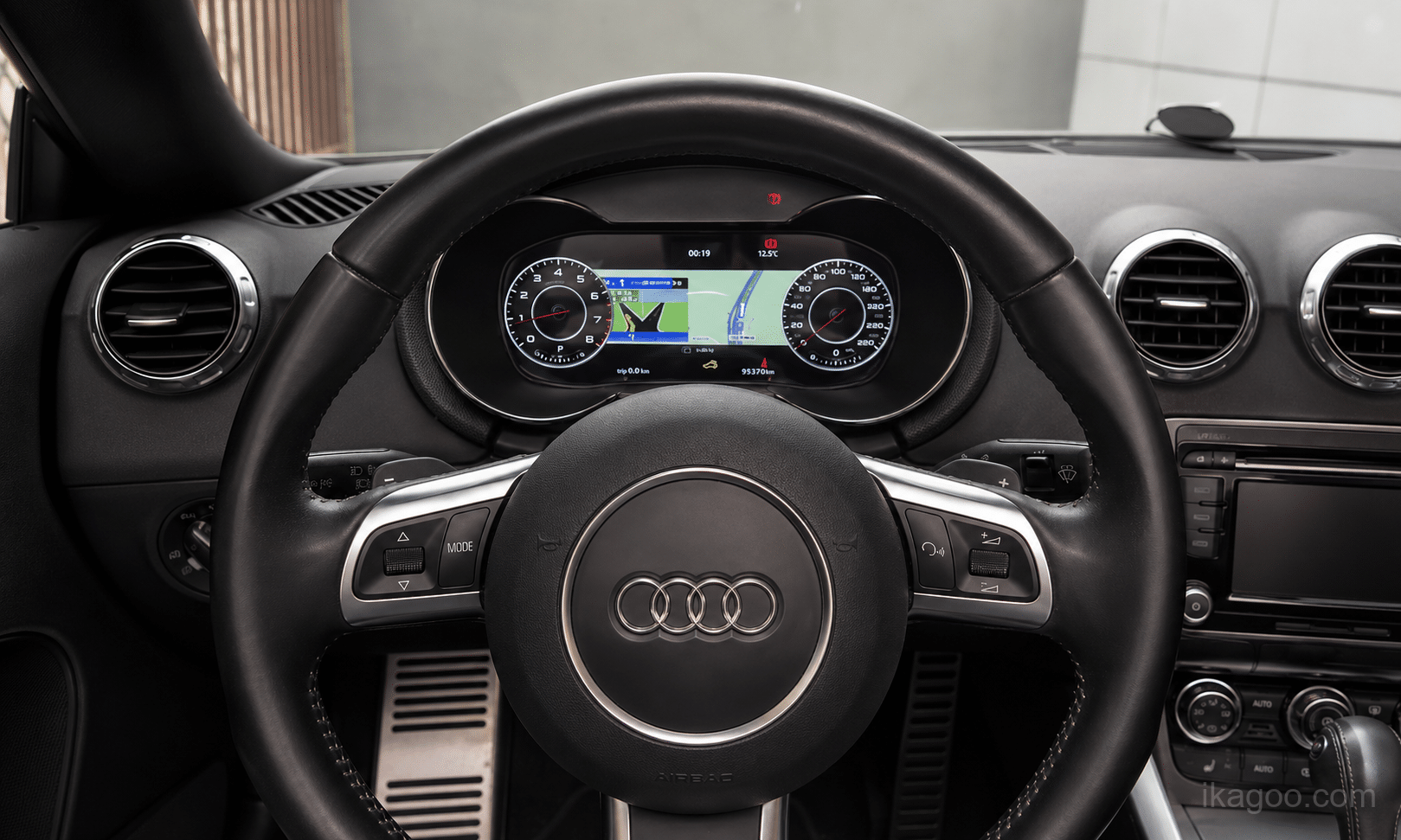
Strong evidence
Same-route vehicle video, linked control and screen response, camera trigger demonstration, audio-path verification, live cluster data and a completed installation with known configuration.
Supporting evidence
Connector images, installation photos, product labels, wiring documentation, vehicle-system identification and multiple consistent customer support cases.
Insufficient by itself
White-background product renders, menu screenshots without vehicle context, a supplier feature list, a single icon or an image from a different model, product version or original system.
Evidence level controls what iKAGOO may publish
No public result should be based only on confidence, marketing language or product appearance. Evidence level determines whether iKAGOO may publish a verified result, a conditional result, a preliminary assessment or only Compatibility Review Required.
Same product version, relevant vehicle generation, comparable original configuration and completed functional checks. A verified status and optional retention index may be published.
Multiple consistent installations or one strong vehicle case supported by route-specific technical records. Conditional results and a carefully scoped index may be published.
Limited real-vehicle evidence supported by connector, architecture or product documentation. The page should use preliminary or review-required language rather than a strong final claim.
Supplier sheet, generic feature list, unrelated image or unresolved contradiction. The correct public outcome is Compatibility Review Required and no precise percentage.
Every public retention record should identify
- Vehicle make, model, year range and steering position where relevant.
- Original infotainment, cluster, audio and camera baseline.
- Reviewed iKAGOO product, SKU or hardware version, harness and interface scope.
- Supply scope: purchased from iKAGOO through ikagoo.com or another channel expressly identified by iKAGOO.
- Evidence level, review date and responsible review function.
- Retained, conditional, unverified and not-retained functions.
- Evidence image, video, installation record or reference where available.
Do not publish a final percentage when
- Evidence is incomplete, contradictory or from a different product route.
- The original system, premium audio or camera configuration is unknown.
- The image set cannot prove the claimed function.
- Critical driving data, warnings, camera or primary audio remain unresolved.
- A changed product version has not been re-reviewed.
- The conclusion still depends on the buyer’s compatibility submission.
- The product was not supplied by iKAGOO or its product version, harness, CANBUS route or interface modules cannot be verified.
Evidence conflict rule: when a supplier feature list conflicts with a verified installation or support case, the real vehicle result takes priority and the published conclusion must be corrected.
Different product types are evaluated with different relevant items
The method is unified, but the checklist is not identical across every hardware route. A digital cluster route, a head unit route and a dual-screen integrated cockpit route do not expose the same relevant items.
| Produkttype | Main Retention Focus | Control Focus | Typical Extra Risk |
|---|---|---|---|
| Android-hovedenhed | Original system switching, camera, radar, sound path, climate pages, factory settings | Steering-wheel buttons, factory knob or touch controller, shortcut migration | CANBUS, MOST fiber, amplifier and original screen baseline |
| Digitalt instrumentpanel | Speed, rpm, fuel, gear, warning lights, vehicle information and prompt behavior | Menu navigation, stalk or wheel-button interaction, display route changes | Vehicle coding, hardware transfer, theme route and warning consistency |
| Factory display replacement | Original camera, sound, settings and display logic retention | Original input route continuity | Fitment route, module placement and original unit reuse |
| Dual-screen cockpit upgrade | Center and cluster coordination, camera path, settings route and original feature continuity | Mixed control logic across two displays | Cross-screen interface mismatch, configuration dependency and install complexity |
| Integrated head-unit and cluster system | Cross-screen feature continuity and overall cockpit behavior | Input mapping across combined hardware | Configuration dependency and evidence requirements across both screens |
| Routes with hardware transfer or relocation | Core feature survival after parts reuse or repositioning | Where removed physical controls now live | Install discipline, module hiding and long-term service access |
Frequently asked questions before ordering
These questions reflect recurring compatibility and support concerns for iKAGOO Android head units, digital instrument clusters, factory display replacements and integrated cockpit upgrades.
Is vehicle model and year enough to confirm compatibility?
Not always. Similar model years can use different factory screens, infotainment systems, amplifiers, controllers, cameras or connectors. Original dashboard and system photos are normally the fastest way to reduce selection errors.
What does “Factory System Retained: Yes” actually mean?
It means the customer can switch to and use the original factory interface through the stated route. Leaving the original module in the vehicle without usable access does not count.
Does retained mean the function looks and operates exactly as before?
No. The essential purpose remains available, but the menu location, icon, switching method, timing, physical control or supporting module may change. Those changes must be disclosed.
Can steering-wheel controls remain after a head unit or digital cluster upgrade?
They may work directly, through CANBUS or after button learning. Some short-press and long-press actions may change. The product record should state whether the route is direct, remapped or configuration-dependent.
Will iDrive, COMAND, MMI, the rotary controller or touchpad still work?
Many vehicle-specific routes retain the original controller, but supported actions can differ between the factory interface and the upgraded interface. Controller retention must be checked for the exact product route.
Can the factory reverse camera remain after an Android head unit upgrade?
It may remain directly or through a vehicle-specific interface. The standard checks automatic trigger, usable image and the relevant original camera behavior rather than only checking whether any image appears.
Does reverse-camera support prove 360° camera retention?
No. Reverse camera, 360° views, dynamic guidelines, front camera and parking graphics are separate checks. A decoder or different interface route may be required.
Can factory parking sensors and radar graphics remain?
They may remain in the original interface, appear as an overlay or use a CANBUS-generated page. Audible and visual functions should be disclosed separately.
Can a factory amplifier such as Harman Kardon, BOSE or B&O remain?
It depends on the audio architecture. Standard audio may connect directly, while MOST fiber-optic systems may require a verified amplifier interface. A standard-audio result cannot be applied to a premium fiber system.
Will warning sounds, microphone, Bluetooth, radio, AUX and USB remain?
The practical function may remain through a new route even when the original hardware port or module changes. The page should distinguish retained function from retained original hardware.
Will factory vehicle settings and climate controls remain?
They may remain in the factory system, move to an upgraded vehicle-settings page or use a CANBUS-generated interface. Essential access and any changed route must be confirmed.
How is digital cluster compatibility checked for speed, rpm, fuel, gear and temperature?
These are critical live-data checks. They should only be marked retained when the relevant vehicle generation, product version, configuration and setup route are supported by testing or documented verification.
Does a digital cluster retain mileage, trip and service information?
This depends on the vehicle and cluster architecture. Some routes read original data, some require setup or transfer and some display only supported subsets. The exact result must be disclosed.
How are warning lights, TPMS and ADAS prompts verified?
No blanket promise should be made. Applicable airbag, ABS, engine, brake, seat-belt, tire-pressure and driver-assistance warnings must be verified. Unresolved critical warnings block a confident final result.
Can CarPlay or navigation maps appear in the digital cluster?
Not automatically. It may depend on the head unit output, cluster input, video converter, software support and vehicle architecture. CarPlay on the center screen does not prove cluster map display.
Can a digital cluster connect to an existing Android or Linux head unit?
Only when the cluster and head unit support a compatible video or data route. USB ports alone do not prove HDMI-video input. The exact output, converter and cluster input must be checked.
Does plug-and-play mean installation is easy and no setup is needed?
No. Vehicle-specific connectors can reduce wire cutting, but trim removal, cable routing, module placement, hardware transfer, coding, CANBUS setup, calibration or professional testing may still be required.
Will original buttons or hardware need to be moved or removed?
Some integrated products reuse or reposition buttons, boards, brackets or modules. The related function can count as retained only when the replacement route remains accessible and is disclosed.
Why does a product show Compatibility Review Required?
The same vehicle may have different systems, amplifiers, cameras, controls and regional configurations. The status prevents an unsupported assumption from being presented as a confirmed result.
Can I use an iKAGOO result to judge another seller’s similar-looking product?
No. The result applies only to the reviewed product supplied by iKAGOO, including its identified display hardware, harness, CANBUS or interface modules, firmware route and vehicle baseline. Similar appearance, similar listing images or a claim that the product comes from the same factory do not prove the same configuration, quality-control process or supported result.
Does the standard apply when another seller says the product is made by the same factory?
No. A manufacturing source may supply different panel grades, mainboard revisions, harness standards, CANBUS vendors, firmware packages and interface modules to different sellers or production batches. Factory origin alone is not enough to transfer an iKAGOO conclusion.
Does iKAGOO accept responsibility for factory-function results on a product purchased elsewhere?
No. This standard does not create a compatibility, installation, warranty or support obligation for products purchased through other sellers, third-party marketplaces or non-iKAGOO channels. iKAGOO can stand behind only the product route it supplied and reviewed.
Does a high retention index mean nothing changes?
No. The index is an iKAGOO route summary, not a promise that every menu, button, module or physical component remains unchanged. Conditions and limitations remain part of the result.
What happens when the product version, firmware or interface module changes?
The previous result should be reviewed. A changed mainboard, screen, harness, CANBUS box, firmware, decoder or integration module can alter factory function retention.
What evidence is stronger than a supplier feature list?
Same-route vehicle testing, several consistent installations, configuration-specific technical records and verified customer support cases. When generic marketing conflicts with a real vehicle result, the real result takes priority.
Why this is the core iKAGOO factory function retention standard
This page is the central public definition used by iKAGOO product pages, compatibility reviews and related technical guidance. The standard page defines the language and evidence boundaries; individual product pages provide the vehicle-specific conclusion.
Who reviews this standard
Reviewed by iKAGOO Product Compatibility & Support using recurring compatibility submissions, vehicle-specific technical reviews, installation records, product documentation and post-installation support findings.
Why this standard exists
“Retains original functions” is too vague when used alone. This standard requires iKAGOO to state what was checked, how the function remains available, what configuration the result applies to and what remains uncertain.
Sales-channel and responsibility boundary
Published conclusions apply only to products supplied by iKAGOO through ikagoo.com or another channel expressly identified by iKAGOO. iKAGOO does not extend the conclusion, warranty or support responsibility to visually similar products, same-factory claims or purchases from other sellers.
What remains internal
Exact item weighting, product-specific acceptance sheets, firmware settings, wiring decisions, supplier references, fault logs and recovery procedures remain part of the reviewed iKAGOO configuration rather than a universal public formula.
When the standard is revised
The standard or an individual product result should be reviewed when hardware, harness, decoder, CANBUS, firmware, supported vehicle baseline or recurring field evidence changes.
Publication and responsibility boundary: iKAGOO may publish a status, evidence level and optional retention index only when the available evidence supports the identified vehicle and iKAGOO-supplied product route. The result is not transferable to a non-iKAGOO purchase. If the vehicle baseline, supplied configuration or a critical function is not confirmed, the public outcome remains Compatibility Review Required. Installation difficulty and upgrade necessity are assessed separately.
Added the iKAGOO-only application boundary across the page, including direct-sales scope, same-factory and similar-product exclusions, display and harness variation, CANBUS and firmware variation, product-record disclosure and non-transferable responsibility.
Restored detailed buyer questions, product-route differences, review criteria, evidence requirements, FAQ coverage and an illustrative public record while removing exact internal weights, conversion tables and product-specific execution data.
Established the public status language, six review areas, evidence levels and configuration-specific publication boundary.





Add comment